
Settings & admin
Customise asset templates
An asset template is the blueprint behind every inspection: the fields the engineer fills in, the interval before the next check, and the layout of the certificate. CertFlow ships sensible built-in templates, and you can adapt them or create your own.
- 1
Open Asset templates
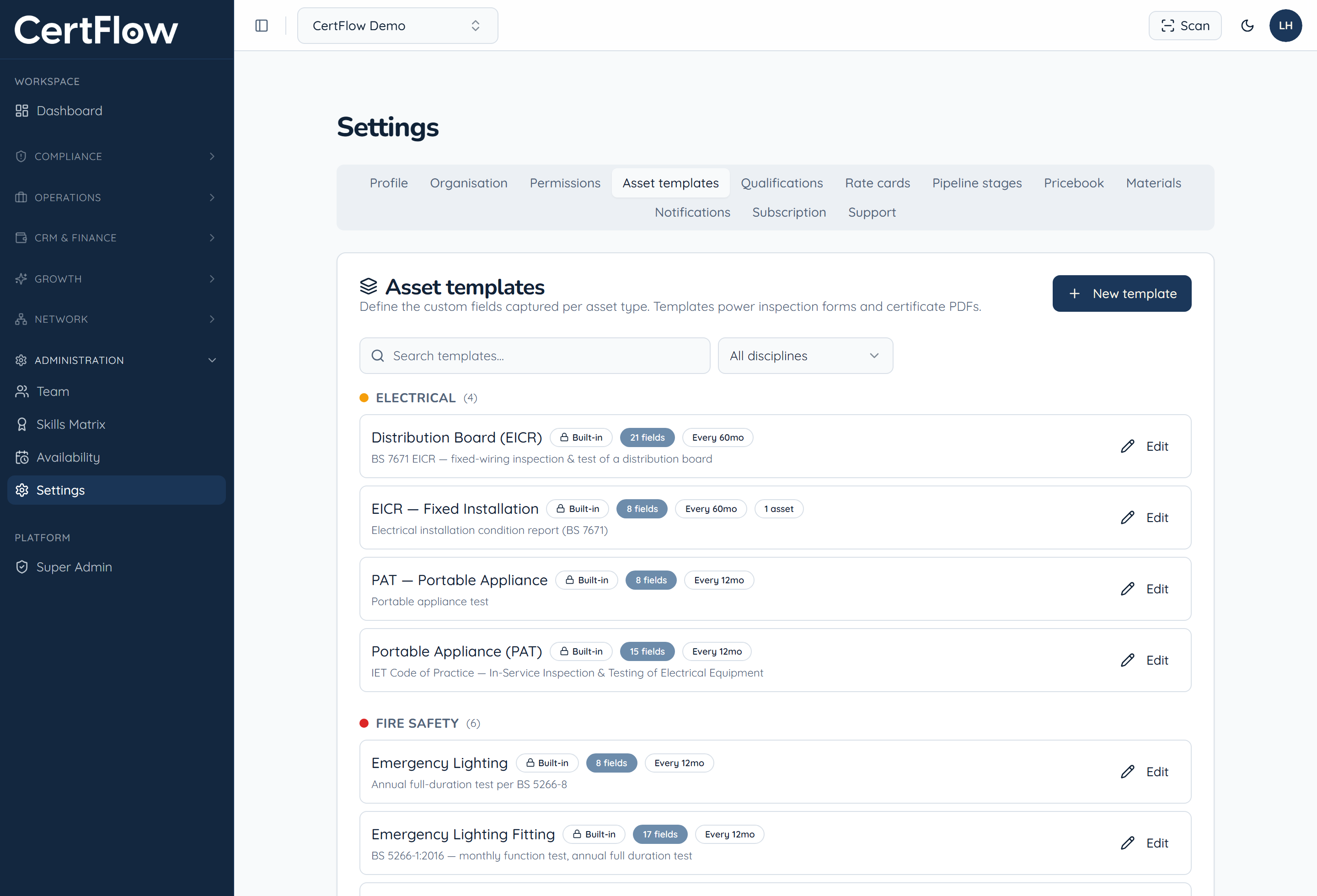
Under Administration, open Settings, then Asset templates. CertFlow includes built-in templates for each discipline, such as EICR, PAT and emergency lighting, each with its own fields and a default inspection interval.
- 2
Edit the fields and layout
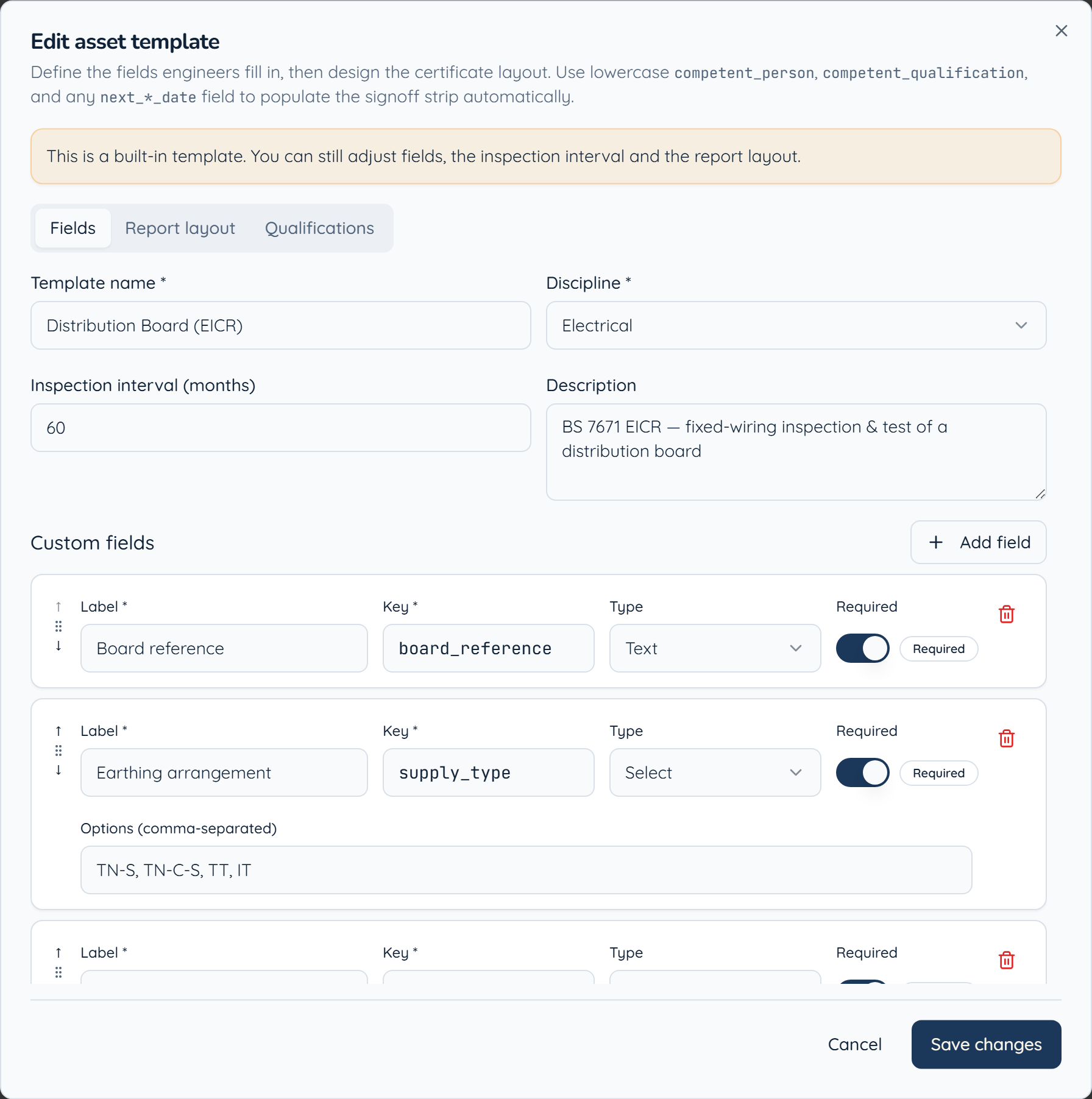
Click Edit on a template to change the custom fields engineers complete, set the inspection interval, and design the certificate layout. Each field has a label, a type (text, select, date and so on), and can be marked required.
- 3
Build your own
Click New template to create one from scratch for a bespoke asset type. Because templates power both the inspection form and the certificate PDF, a change here flows straight through to what the engineer captures and what the client receives.
Want to try this on your own data?