
Clients & finance
Give clients access to their portal
The client portal gives your customers a read-only window into everything you hold for them: their assets, compliance status, certificates and invoices. Inviting a client takes two steps, and they only ever see their own company.
- 1
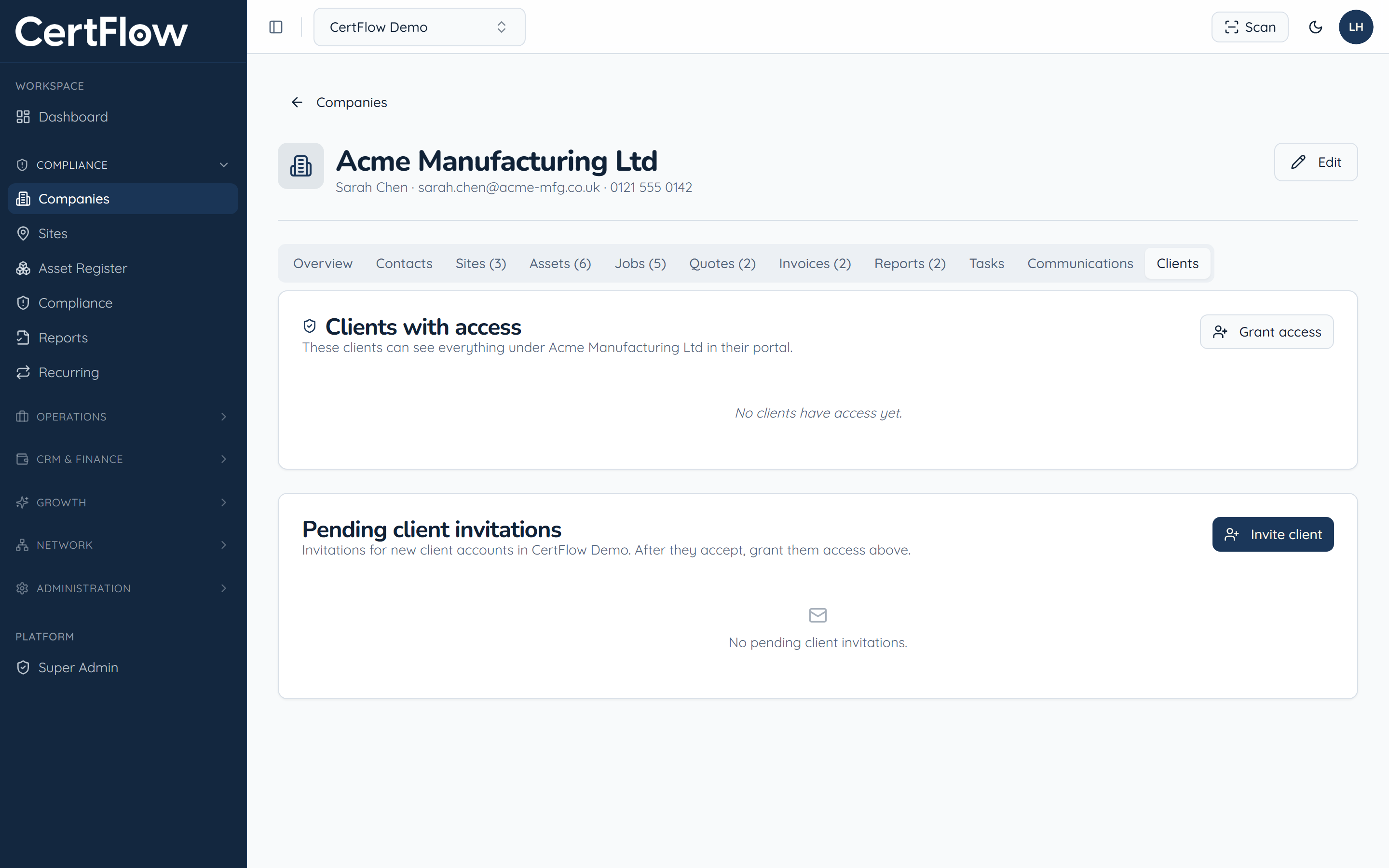
Open the company and go to the Clients tab
Under Compliance, open Companies and pick the client. The Clients tab shows who already has portal access and any pending invitations.
- 2
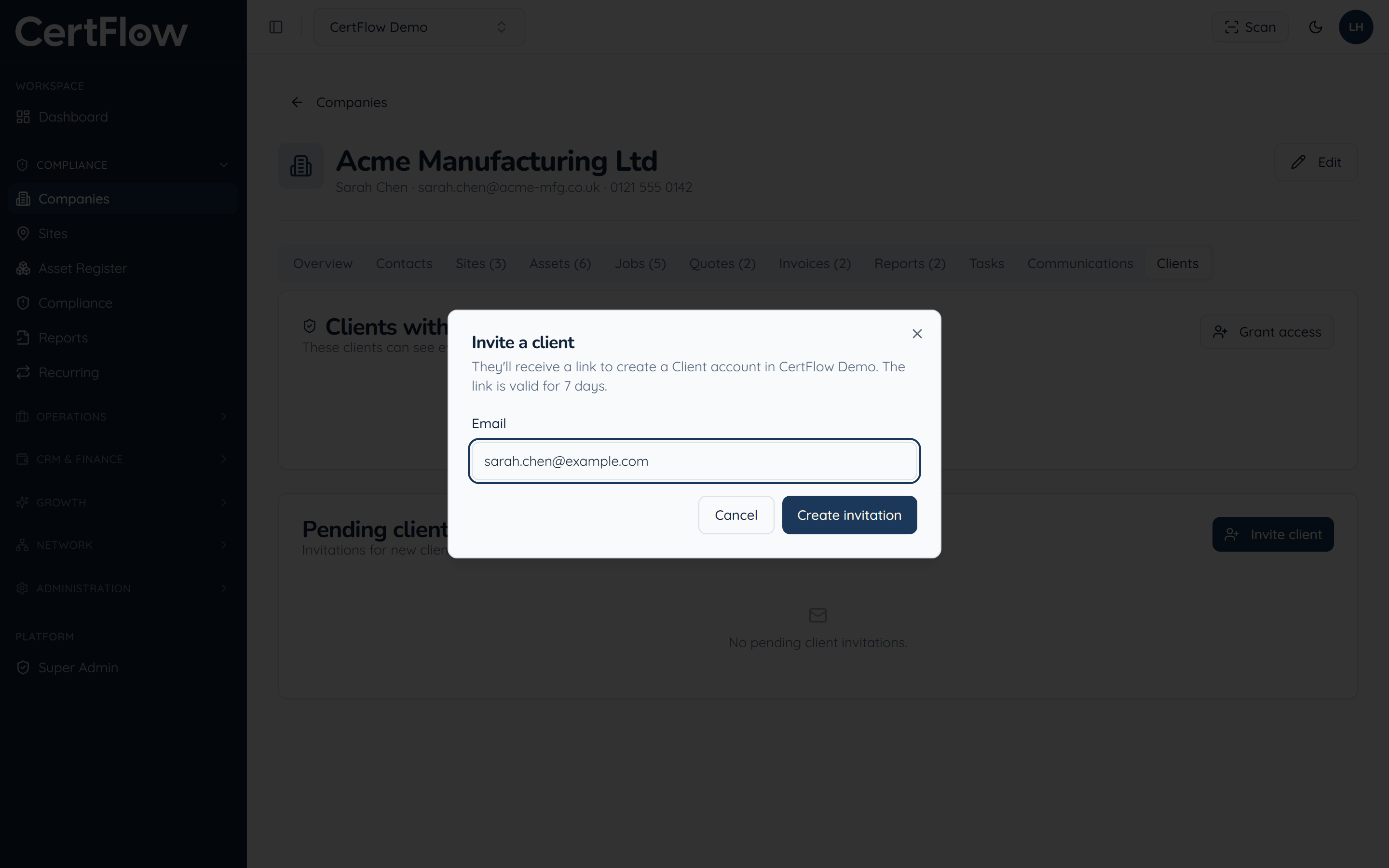
Invite the client
Click Invite client and enter their email. They receive a link, valid for seven days, to create their own Client account in CertFlow.
- 3
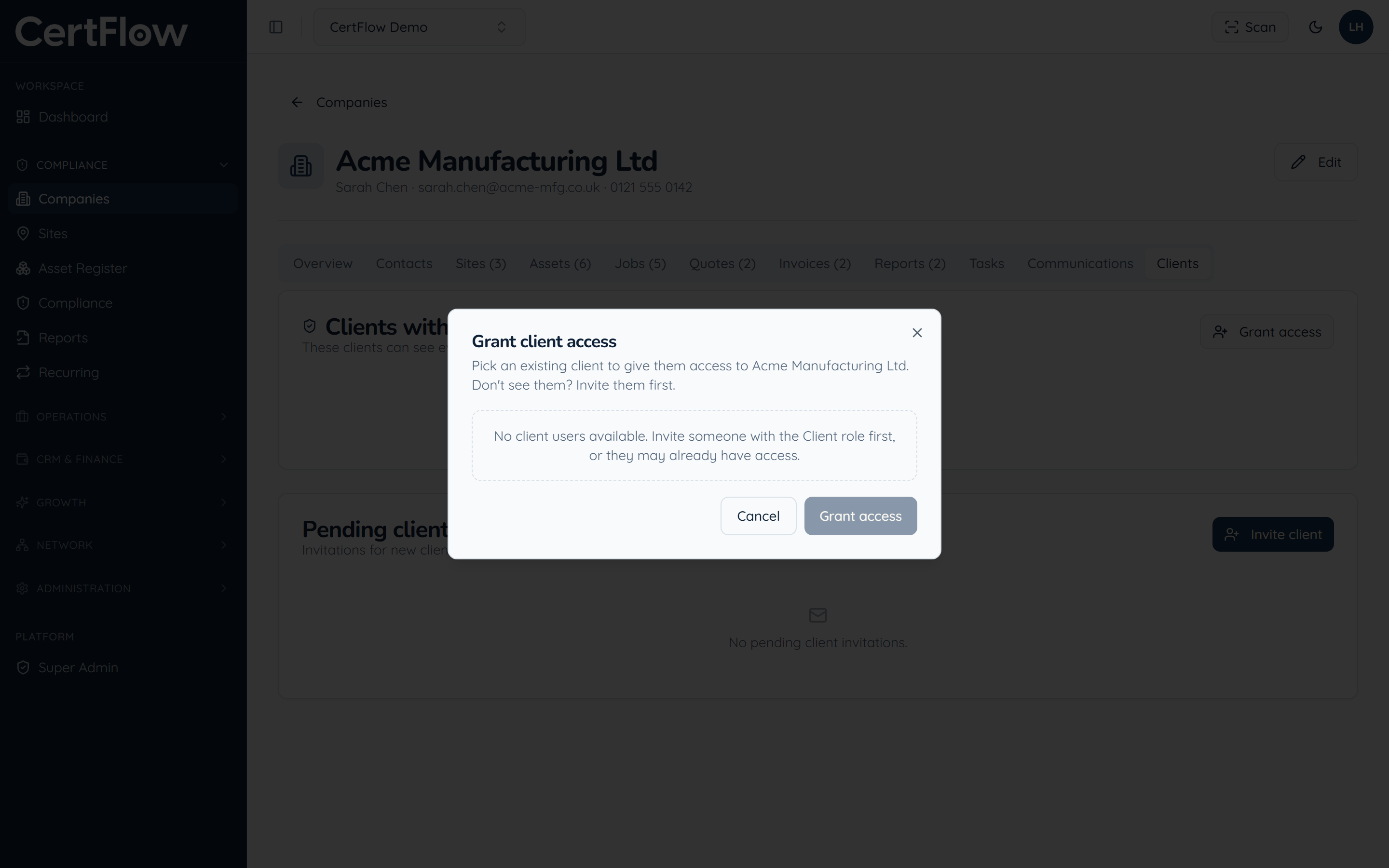
Grant them access
Once they have accepted, click Grant access and pick them from the list to give them access to this company. From then on they can sign in and see everything you hold under it, and nothing belonging to anyone else.
Want to try this on your own data?