
Clients & finance
Create and send a quote
Quotes live alongside your compliance work, so the job you quote is the job you schedule, inspect and invoice. Build one in a minute, send it as a tracked PDF link, and convert it the moment the client says yes.
- 1
Open Quotes and start a new one
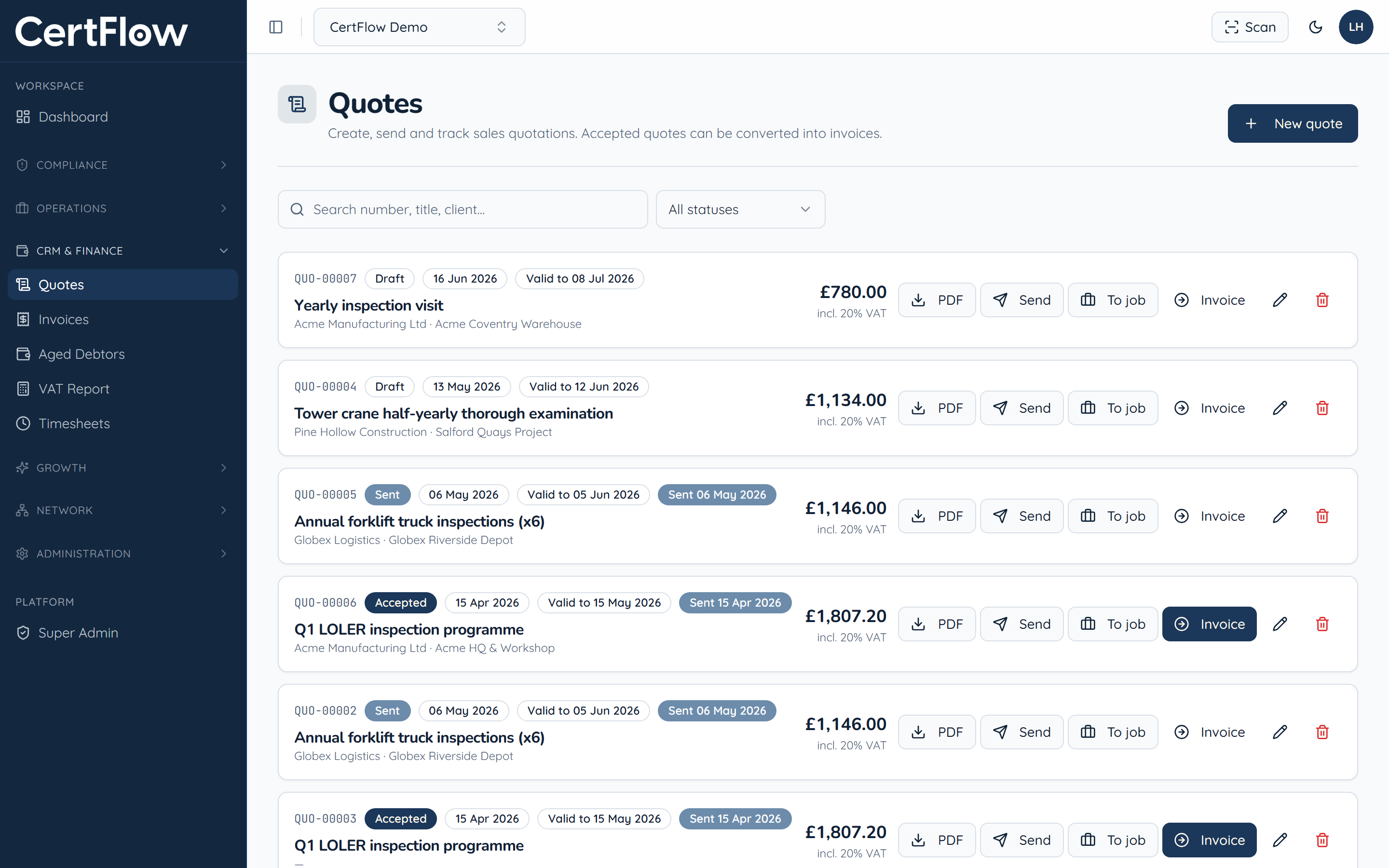
Under CRM & Finance, open Quotes, then click New quote.
- 2
Add the client and line items
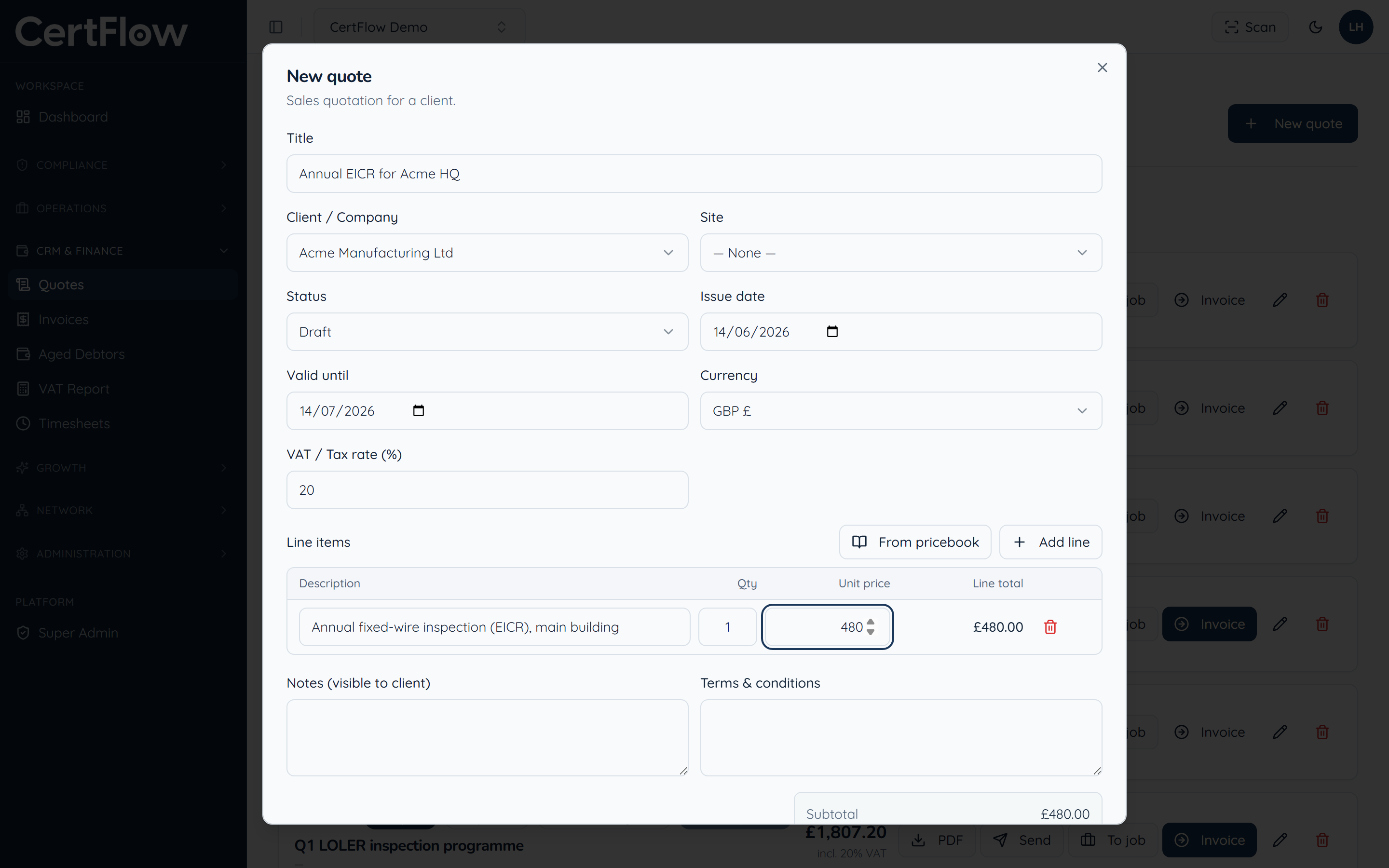
Give the quote a title, pick the client and site, and add line items by hand or pull saved prices from your pricebook. Set the VAT rate, an expiry date, and any notes or terms the client should see. The total updates as you go.
- 3
Send it to your client
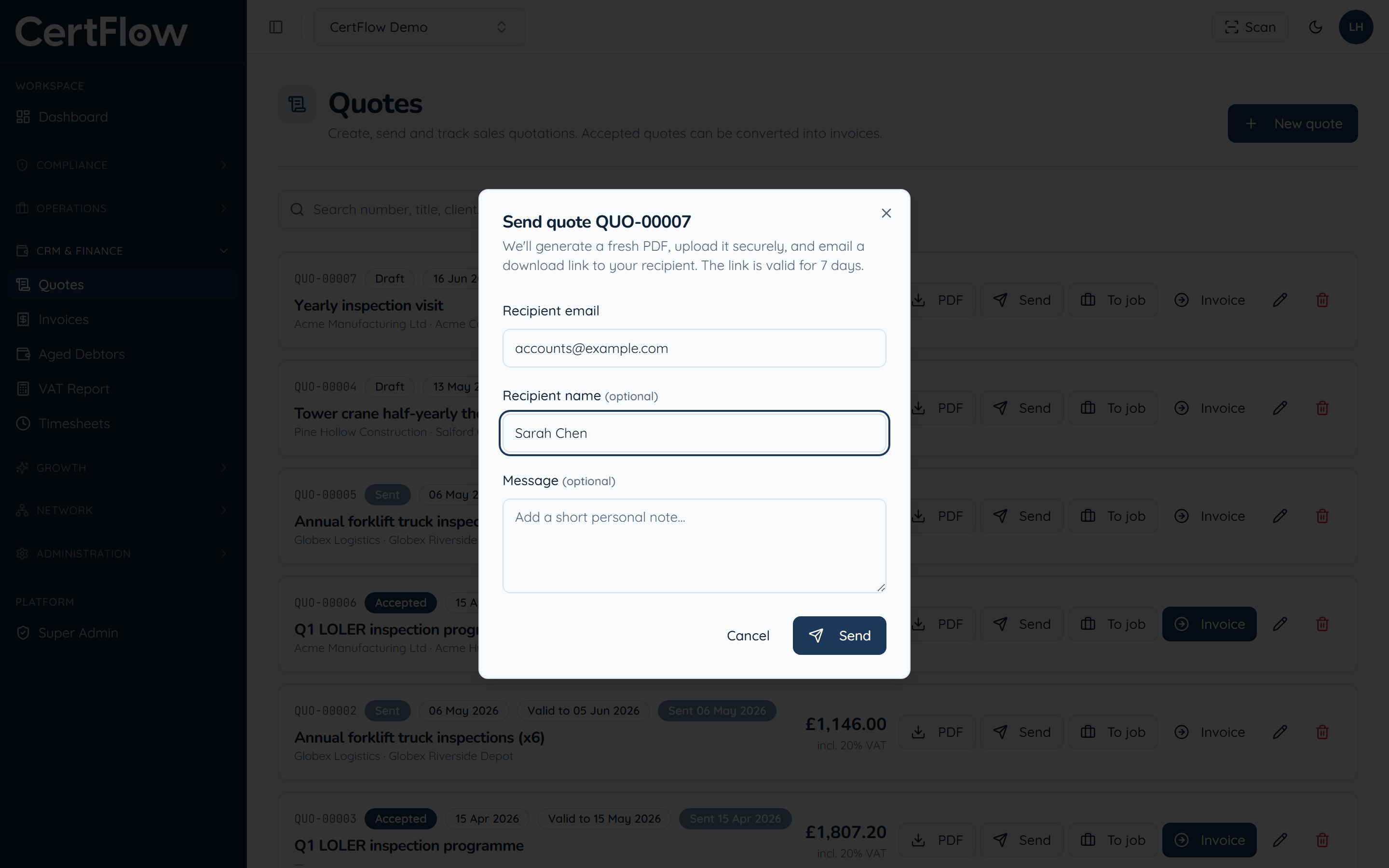
Click Send. CertFlow generates a fresh PDF, stores it securely, and emails your client a download link that is valid for seven days. You can also download the PDF yourself, and once the quote is accepted, convert it straight to a job or an invoice.
Want to try this on your own data?