
Compliance
How to generate and send a certificate
When an inspection is complete, CertFlow generates a branded certificate automatically and files it against the asset. You can view it, download the PDF, or email it straight to the client, with PDFs generated fresh on demand.
- 1
Open Reports
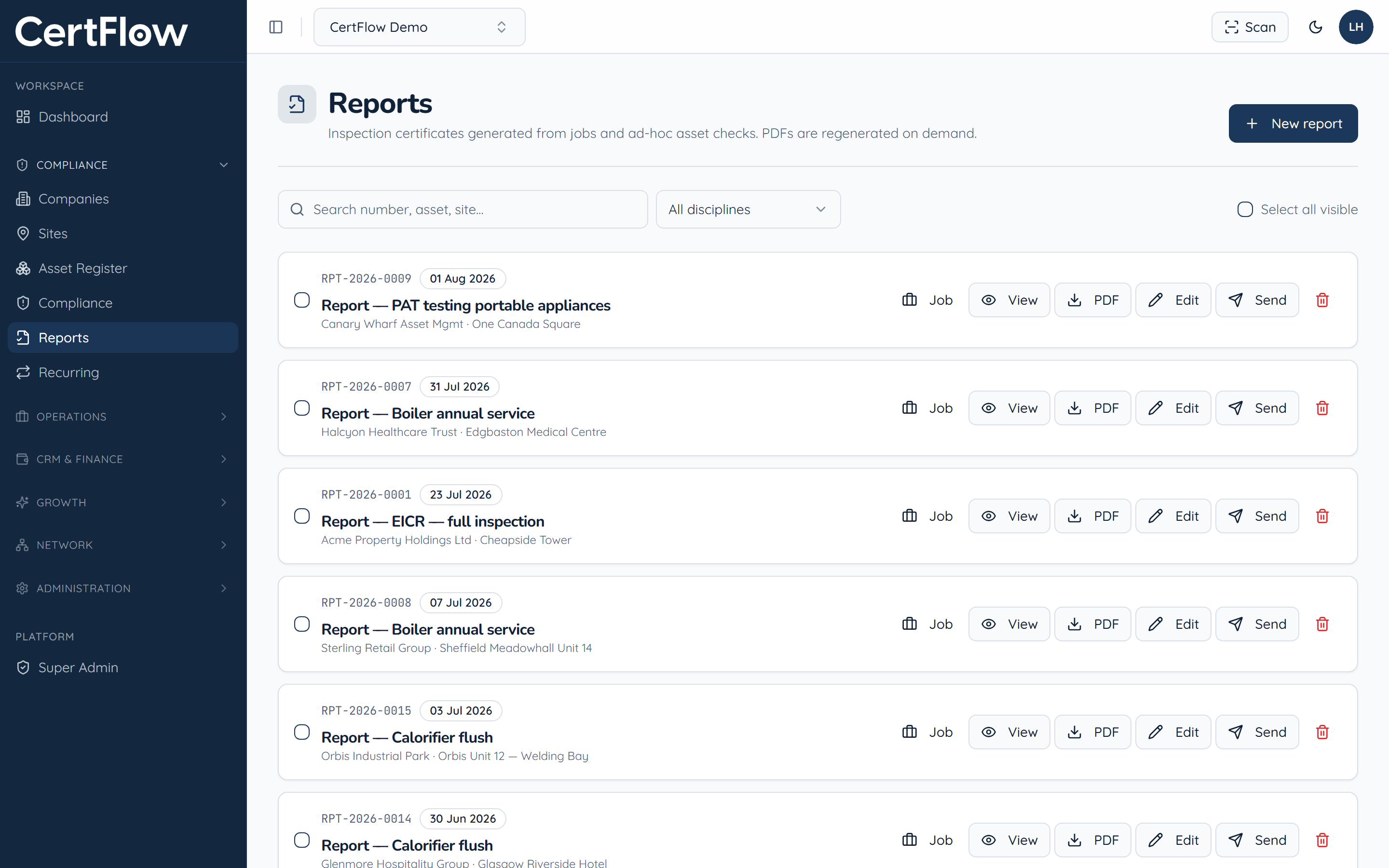
In the left sidebar, under Compliance, open Reports. Every certificate generated from a job or an ad-hoc asset check is listed here, each with View, PDF, Edit and Send actions.
- 2
View the certificate
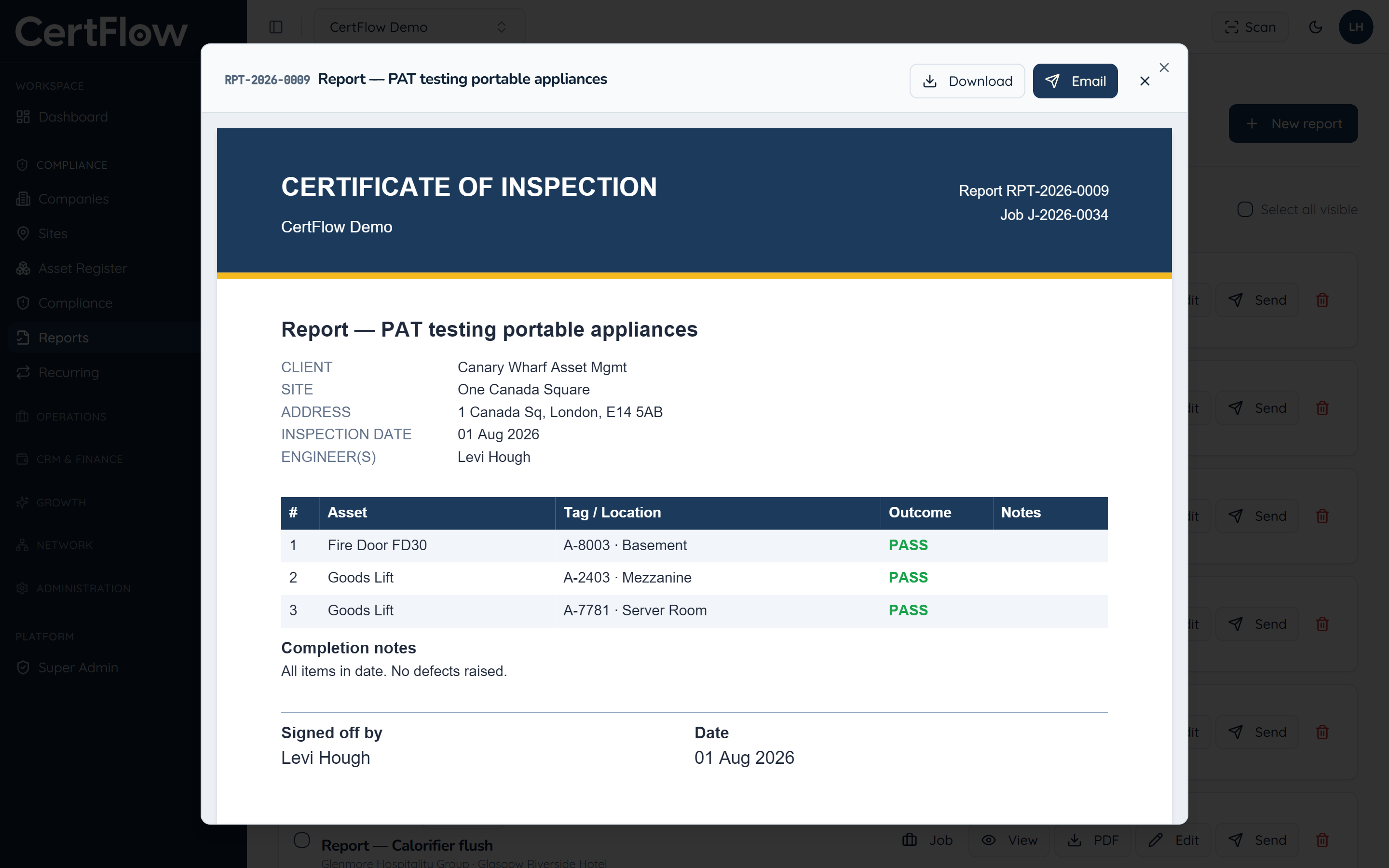
Click View to open the certificate: client, site, inspection date, engineer, the results and the sign-off, all branded as yours.
- 3
Download or email it to the client
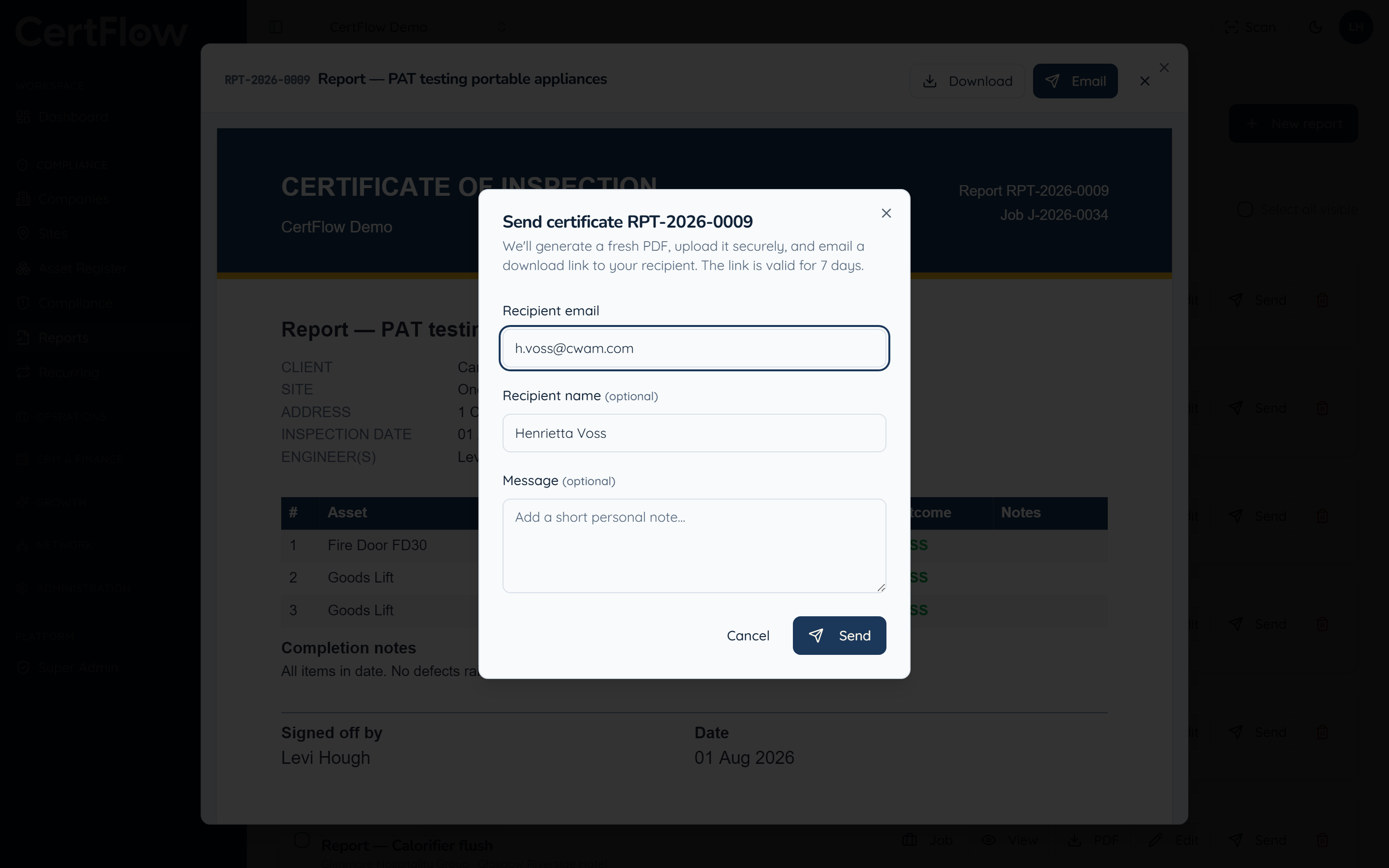
Click Download for the PDF, or Email to send the client a secure download link, valid for 7 days. The recipient is pre-filled from the client record.
Want to try this on your own data?