
Getting started
How to invite your team
Bring your engineers, managers and office team into CertFlow so jobs can be assigned and work can be done on site. Each person gets a role that controls what they can see and do.
- 1
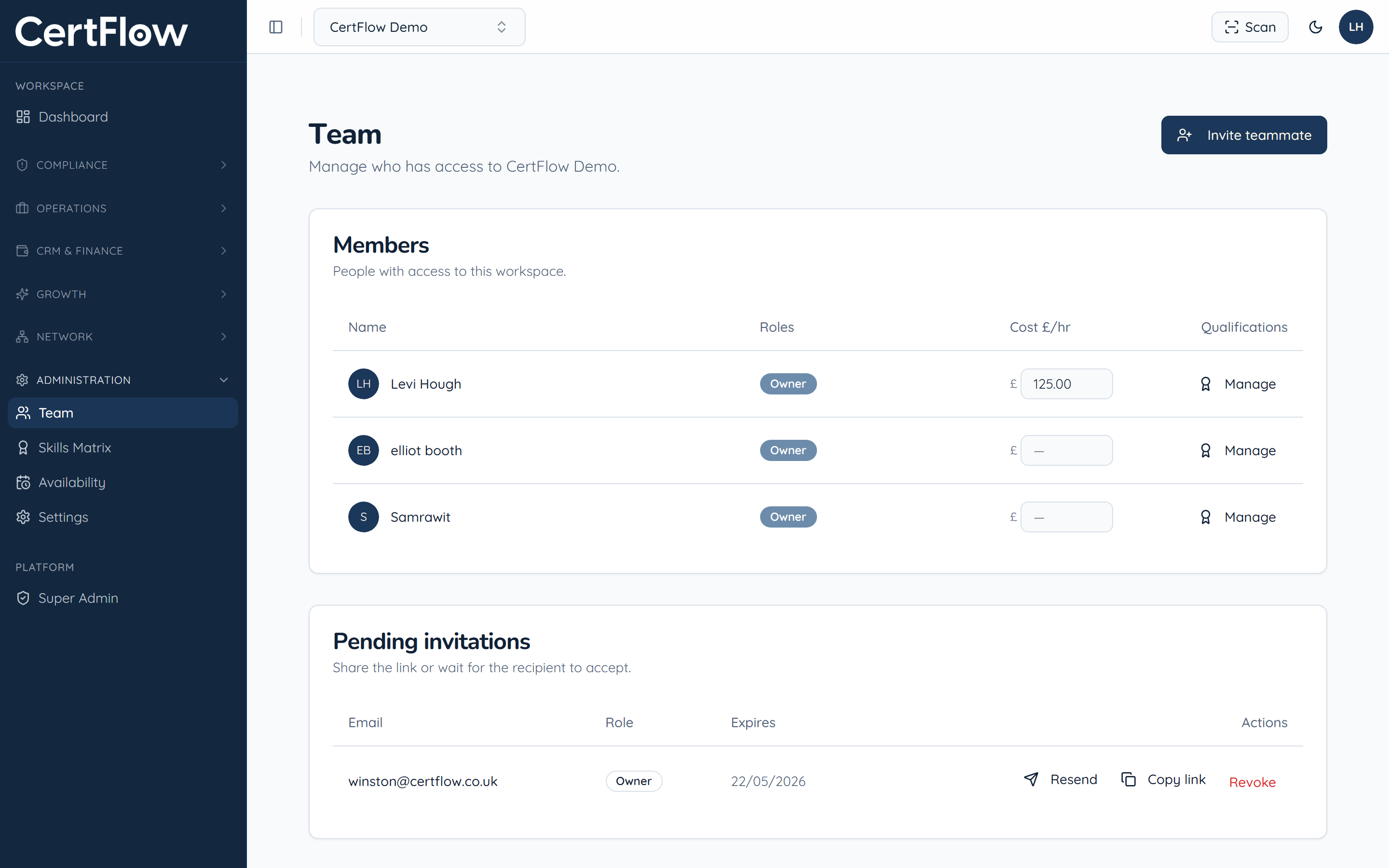
Open Team and click Invite teammate
In the left sidebar, under Administration, open Team, then click Invite teammate.
- 2
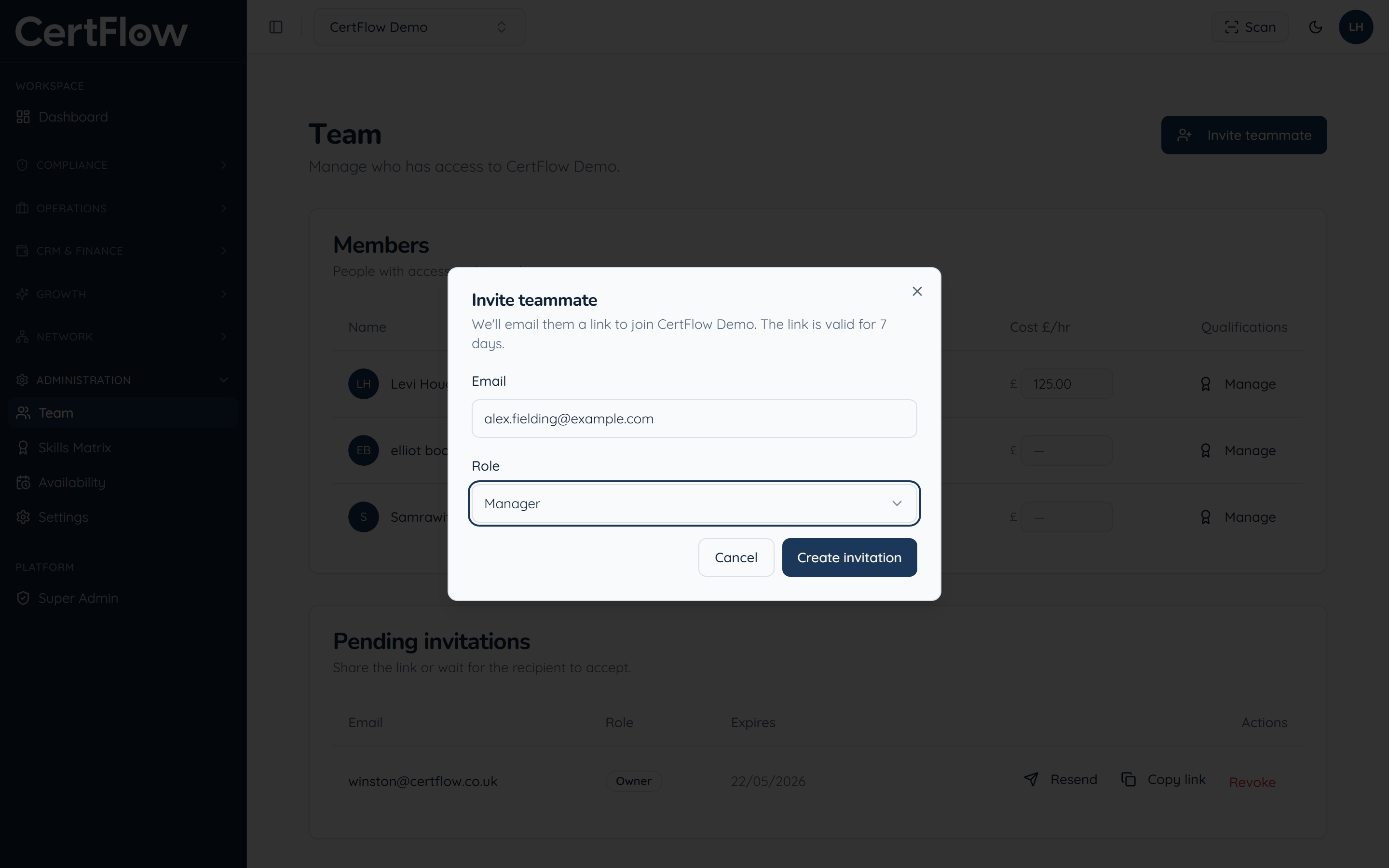
Enter their email and choose a role
Add the teammate email and pick a role: Owner, Manager, Inspector or Client. The role controls what they can see and do.
- 3
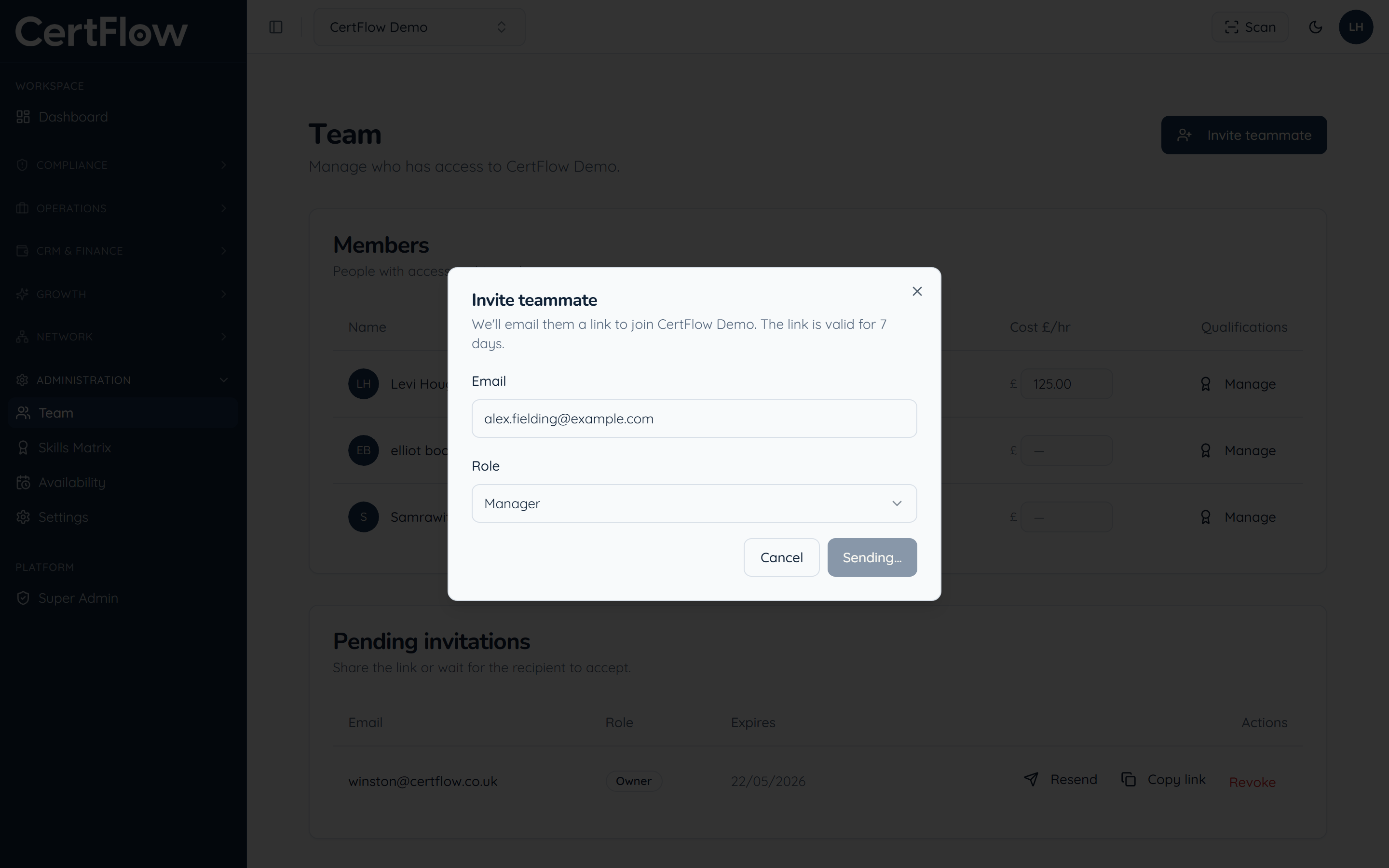
Send the invitation
Click Create invitation. They receive an email link, valid for 7 days, to join your workspace, and show under Pending invitations until they accept.
Want to try this on your own data?
Related