
Operations
QR asset tags and scanning
A QR sticker on each asset turns a five-minute hunt into a one-second scan. Bind a CertFlow sticker to an asset once, then scan it in the field to open the asset, its history and a new inspection.
- 1
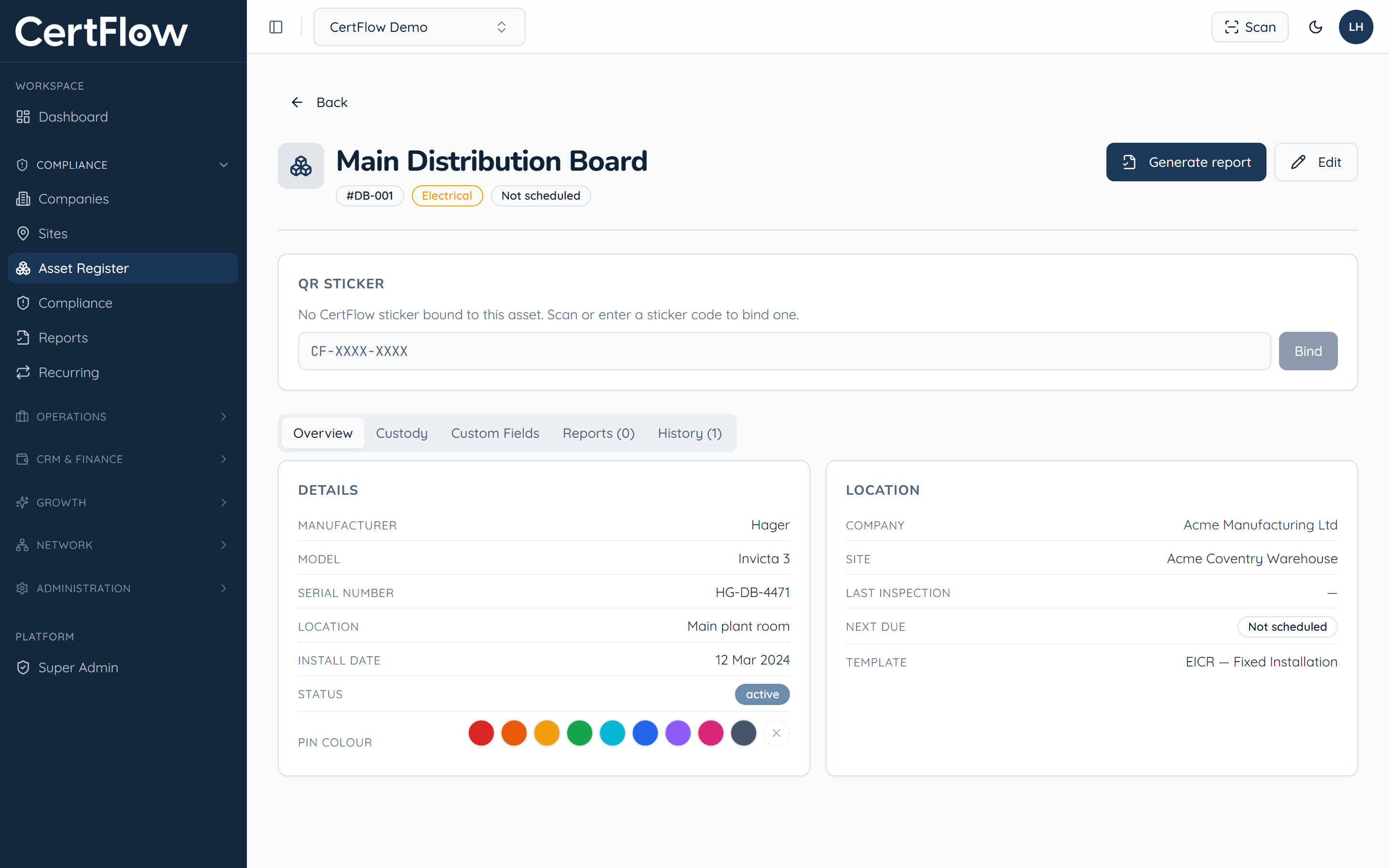
Open the asset and find the QR Sticker panel
Open any asset. The QR Sticker panel near the top shows whether a sticker is bound to it yet.
- 2
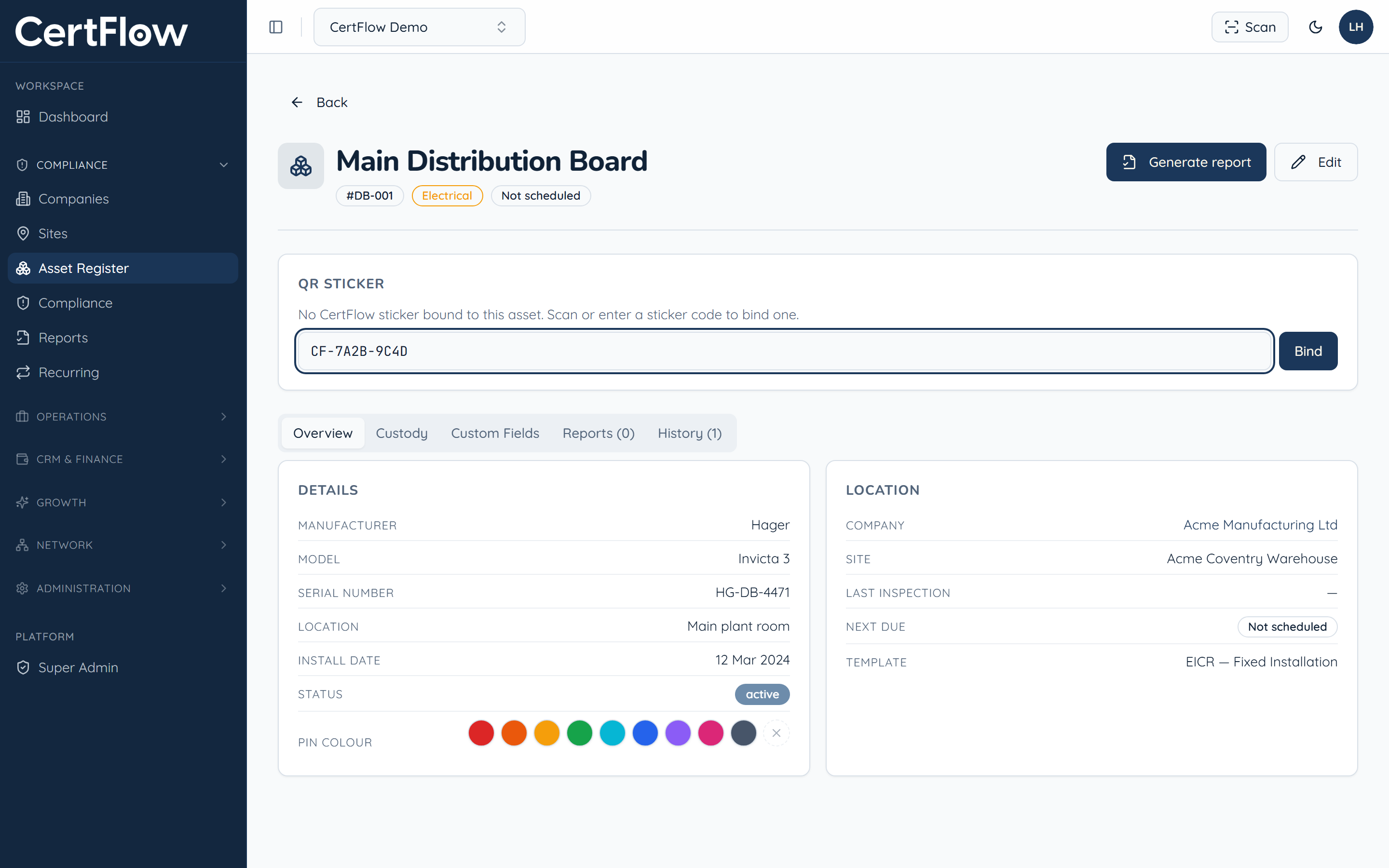
Enter or scan the sticker code, then Bind
Scan a CertFlow sticker, or type its code (in the form CF-XXXX-XXXX), and click Bind. The sticker is now tied to this asset.
- 3
Scan it in the field
On site, tap Scan in the top bar and point your camera at the sticker, or tap Enter code manually. CertFlow opens the asset so you can check its history or start an inspection.
Want to try this on your own data?