
Getting started
How to register an asset
Assets are the things you inspect: distribution boards, cranes, fire doors, water tanks. Each asset carries its own inspection history, certificates and a unique QR tag. Here is how to register one.
- 1
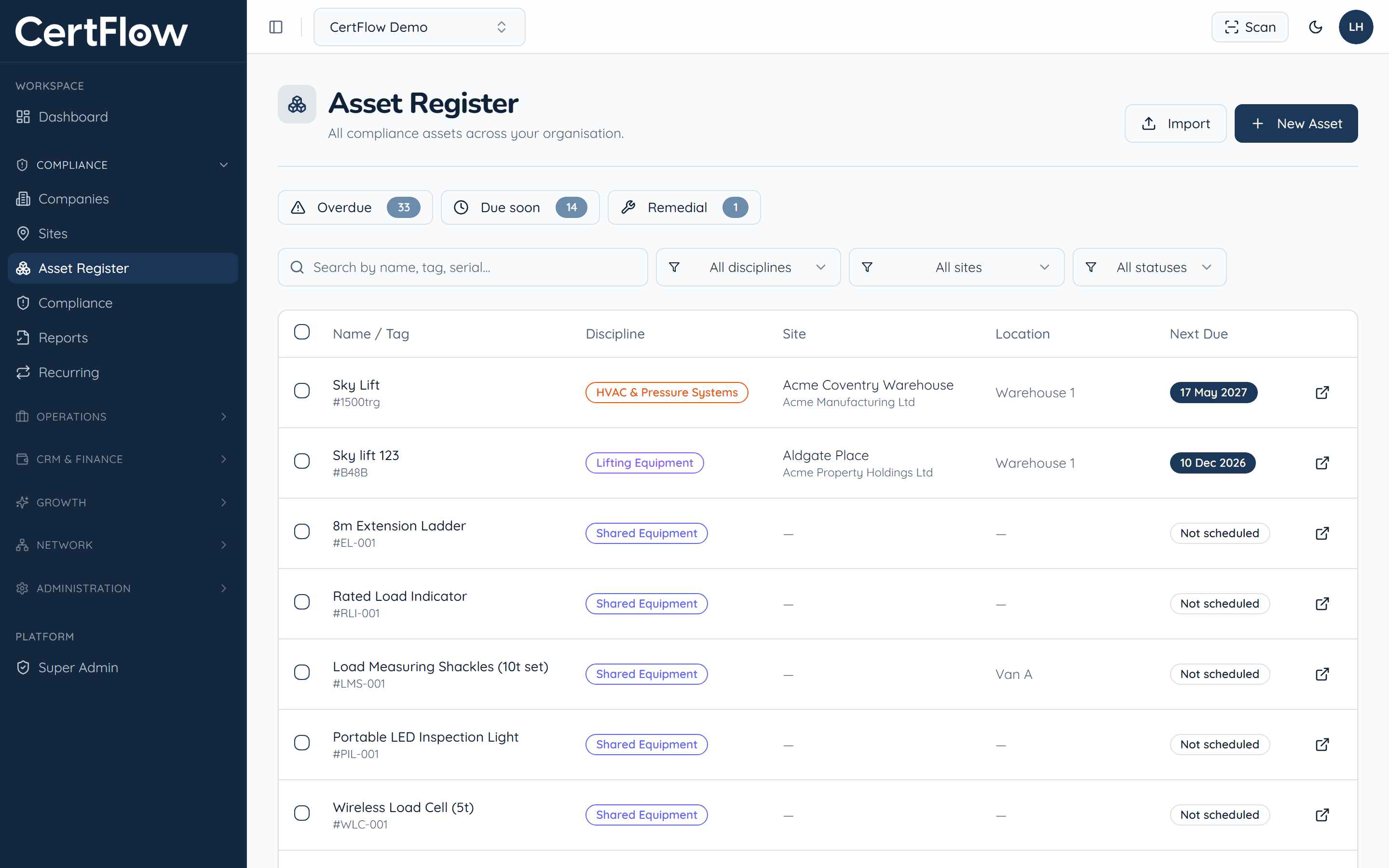
Open the Asset Register and click New Asset
In the left sidebar, under Compliance, open Asset Register, then click New Asset at the top right.
- 2
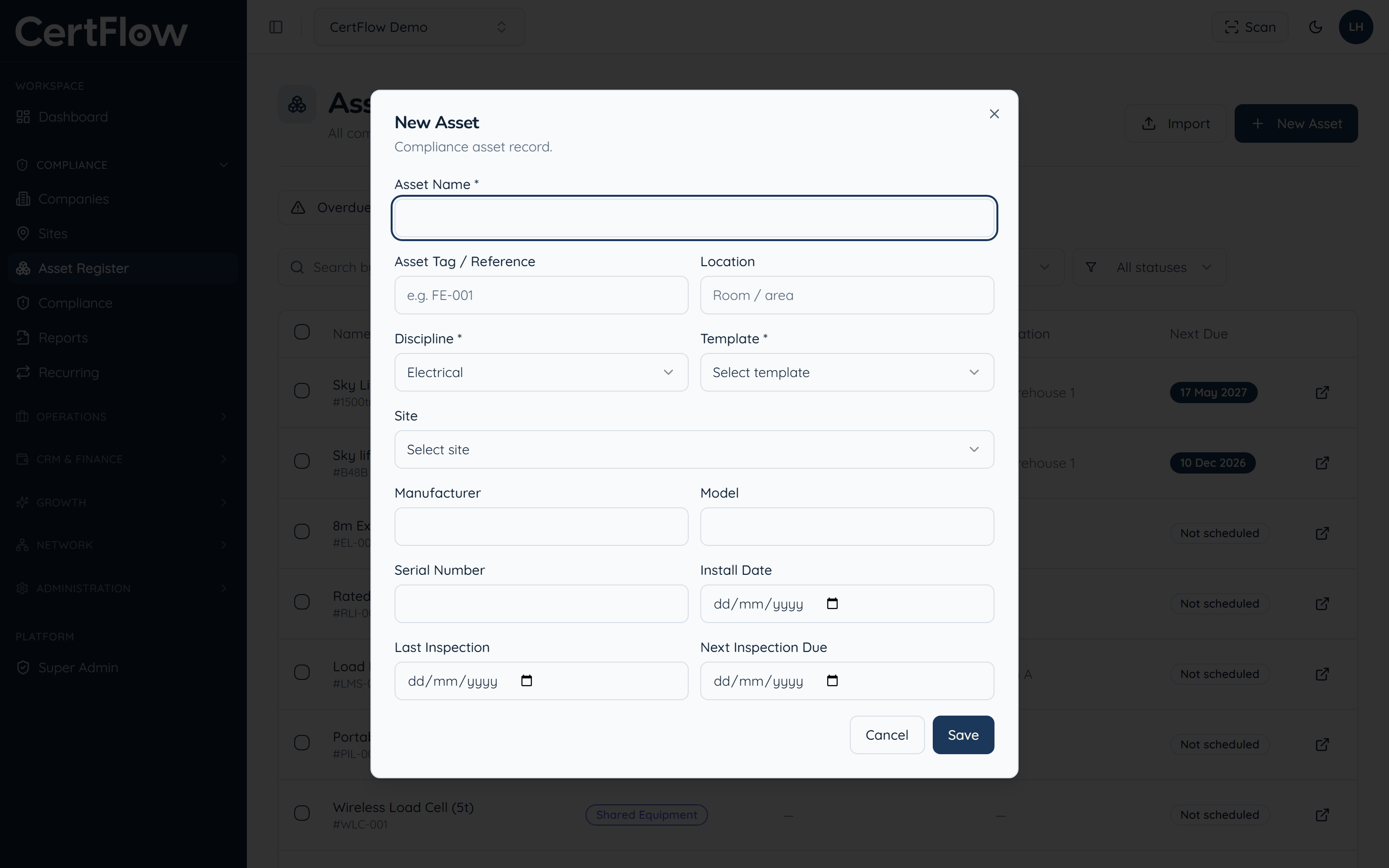
Name the asset, then choose its discipline and template
Give the asset a name and tag, then pick its discipline (electrical, lifting, fire and so on) and the inspection template that applies. The template decides which checks the asset uses and which certificate it produces.
- 3
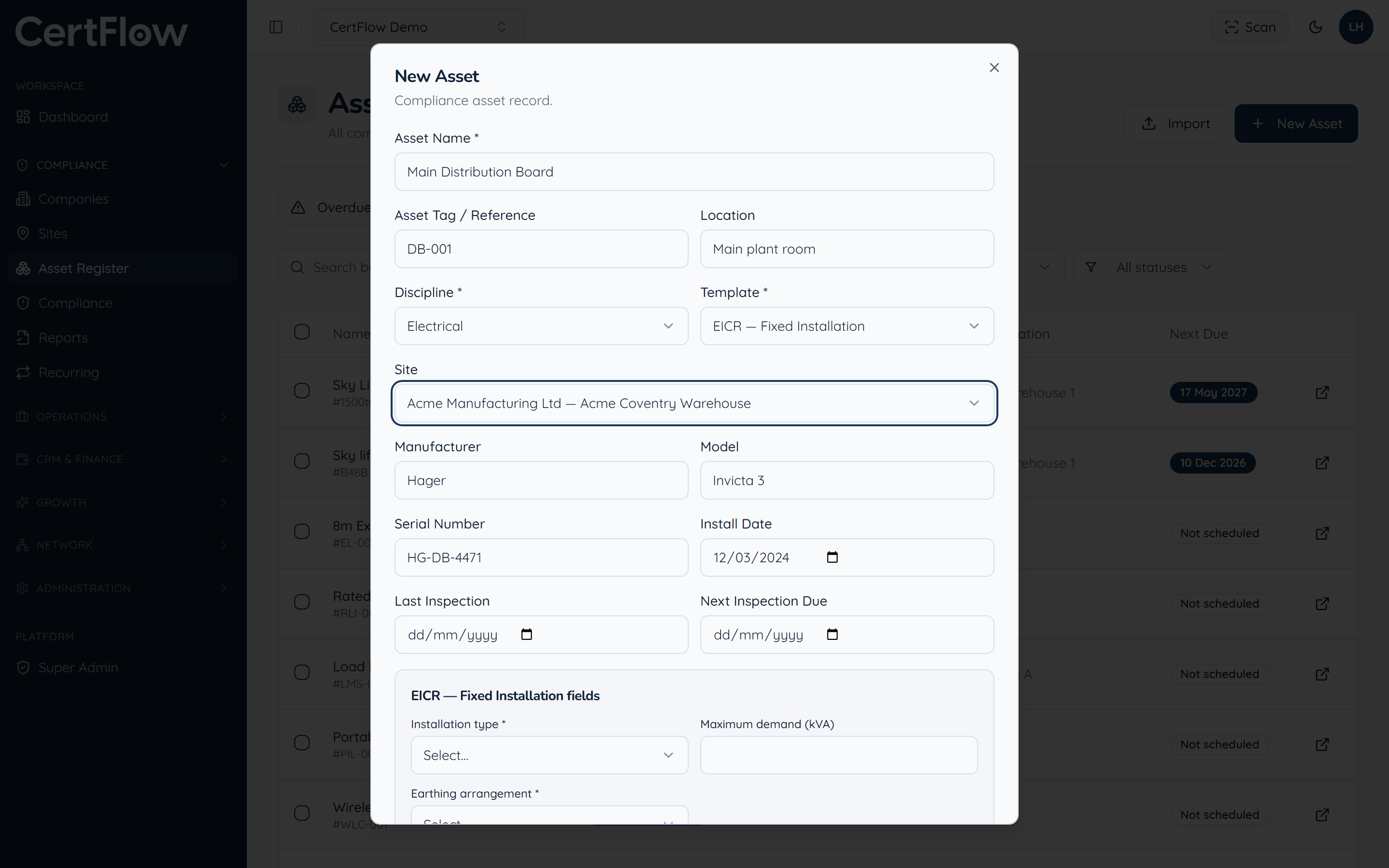
Link it to a site and add the details
Choose the site where the asset lives, then add the manufacturer, model, serial number and key dates. The template may add a few discipline-specific fields below.
- 4
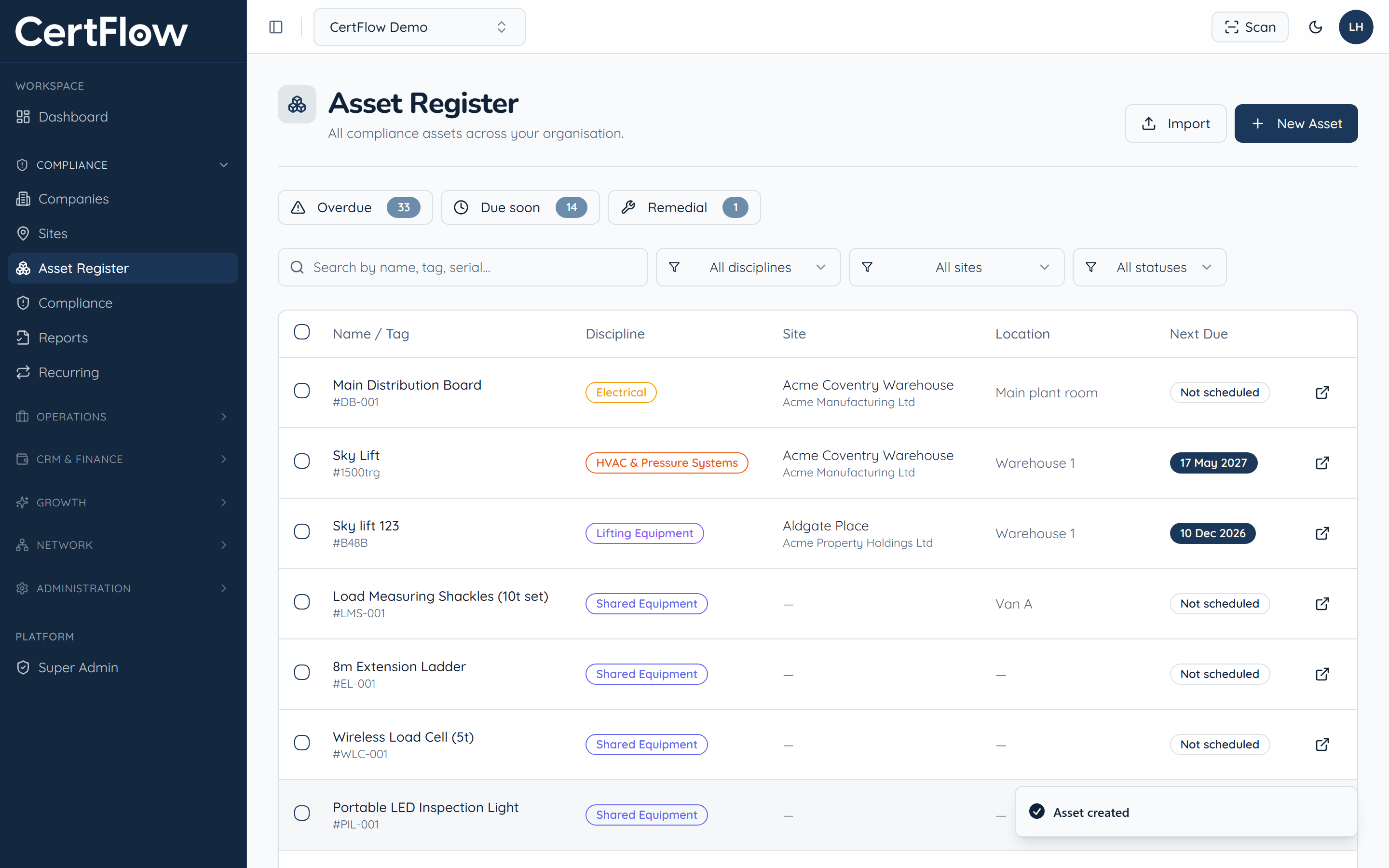
Save
Click Save. The asset appears in your register with its next inspection date, ready to schedule and inspect. Each asset also gets a QR tag for instant lookup in the field.
Want to try this on your own data?