
Compliance
How to run an inspection
An inspection in CertFlow is a guided report: you pick a template, work through the checks, record observations and sign off. The result is a branded certificate, filed automatically against the asset. Here is how to start one.
- 1
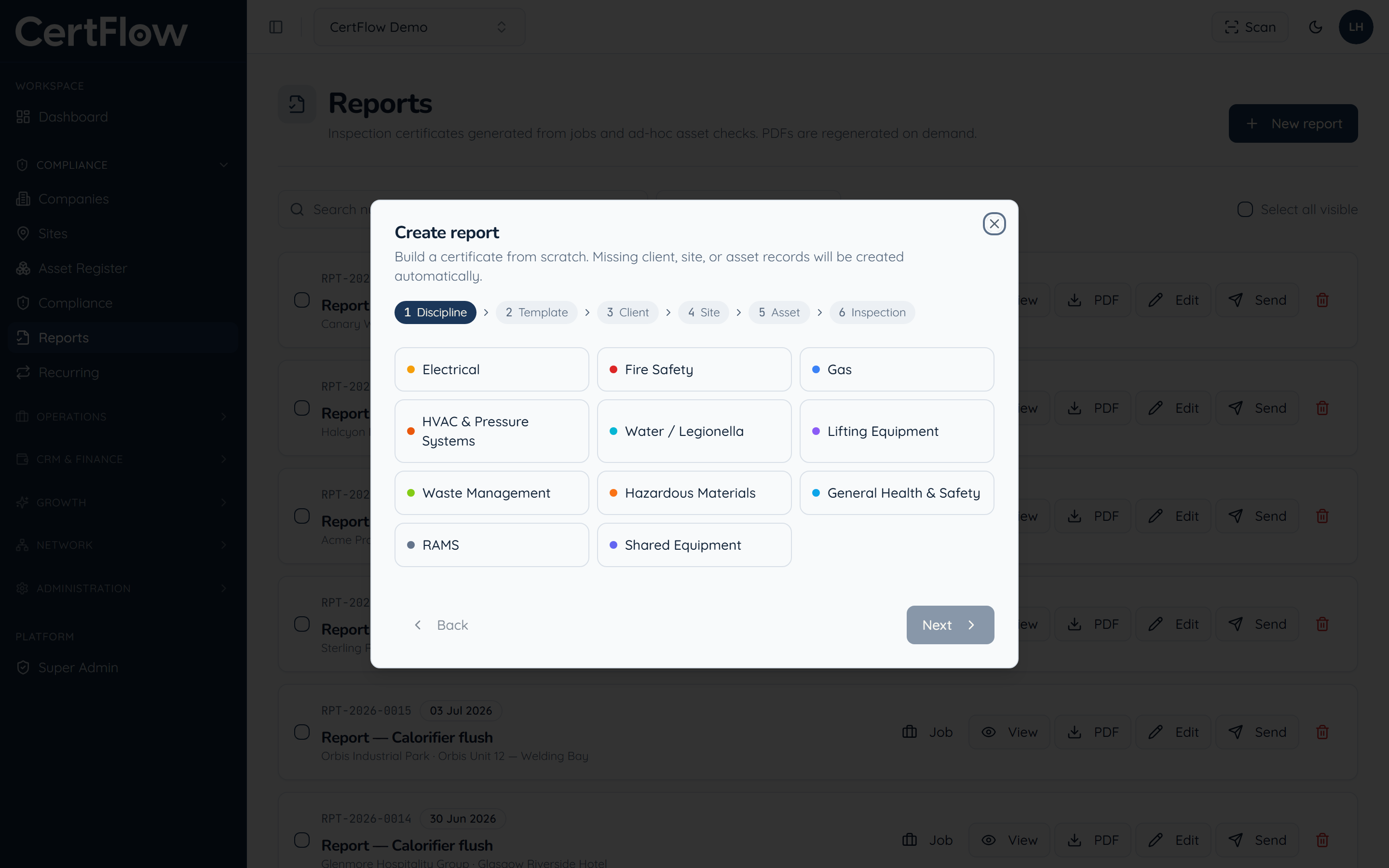
Open Reports, click New report, and choose the discipline
In the left sidebar, under Compliance, open Reports, then click New report. Choose the discipline you are inspecting: electrical, lifting, fire, gas and so on.
- 2
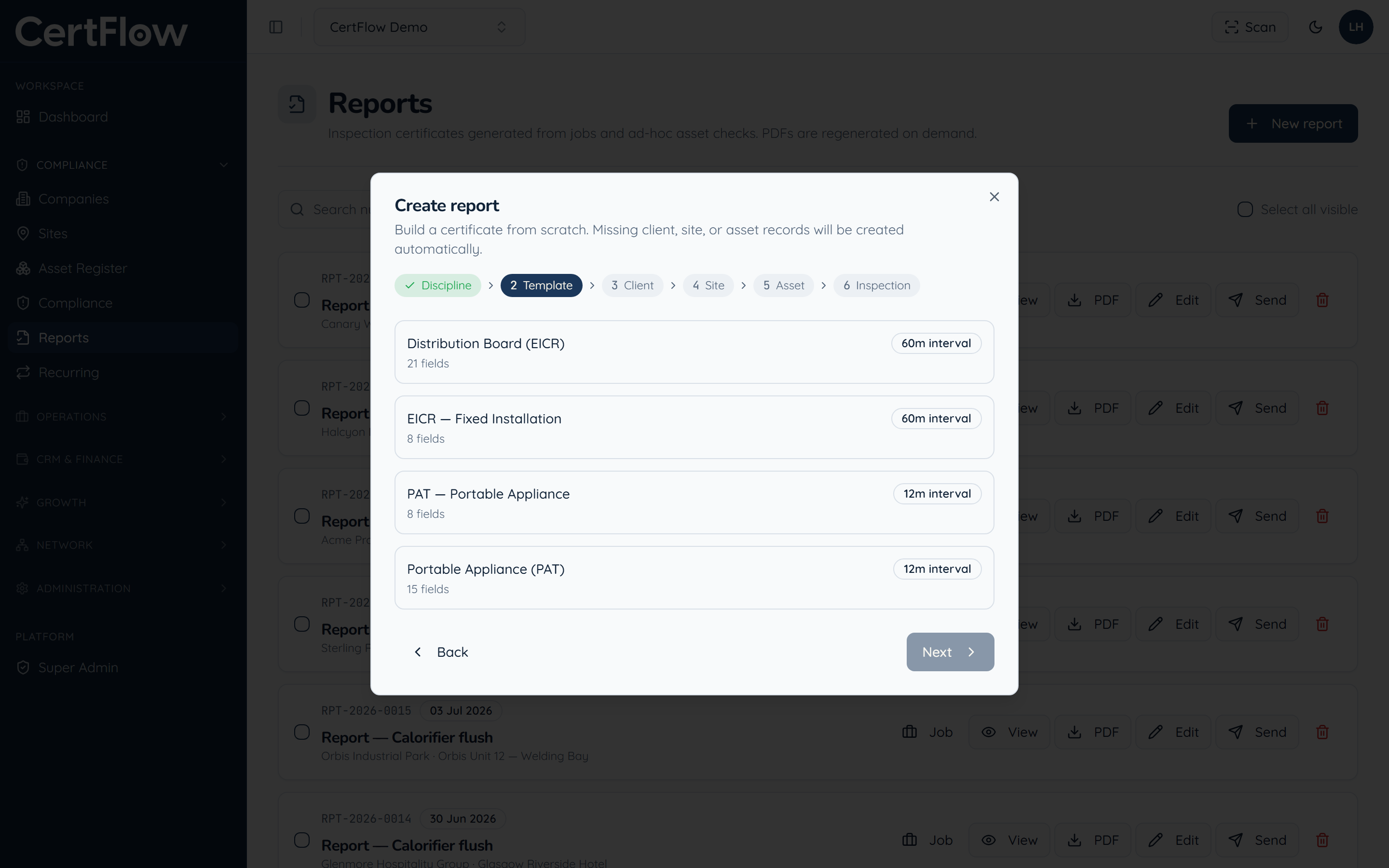
Choose the inspection template
Pick the template for this asset, for example an EICR for a fixed installation or a thorough examination for lifting equipment. The template decides which checks you complete and which certificate is produced.
- 3
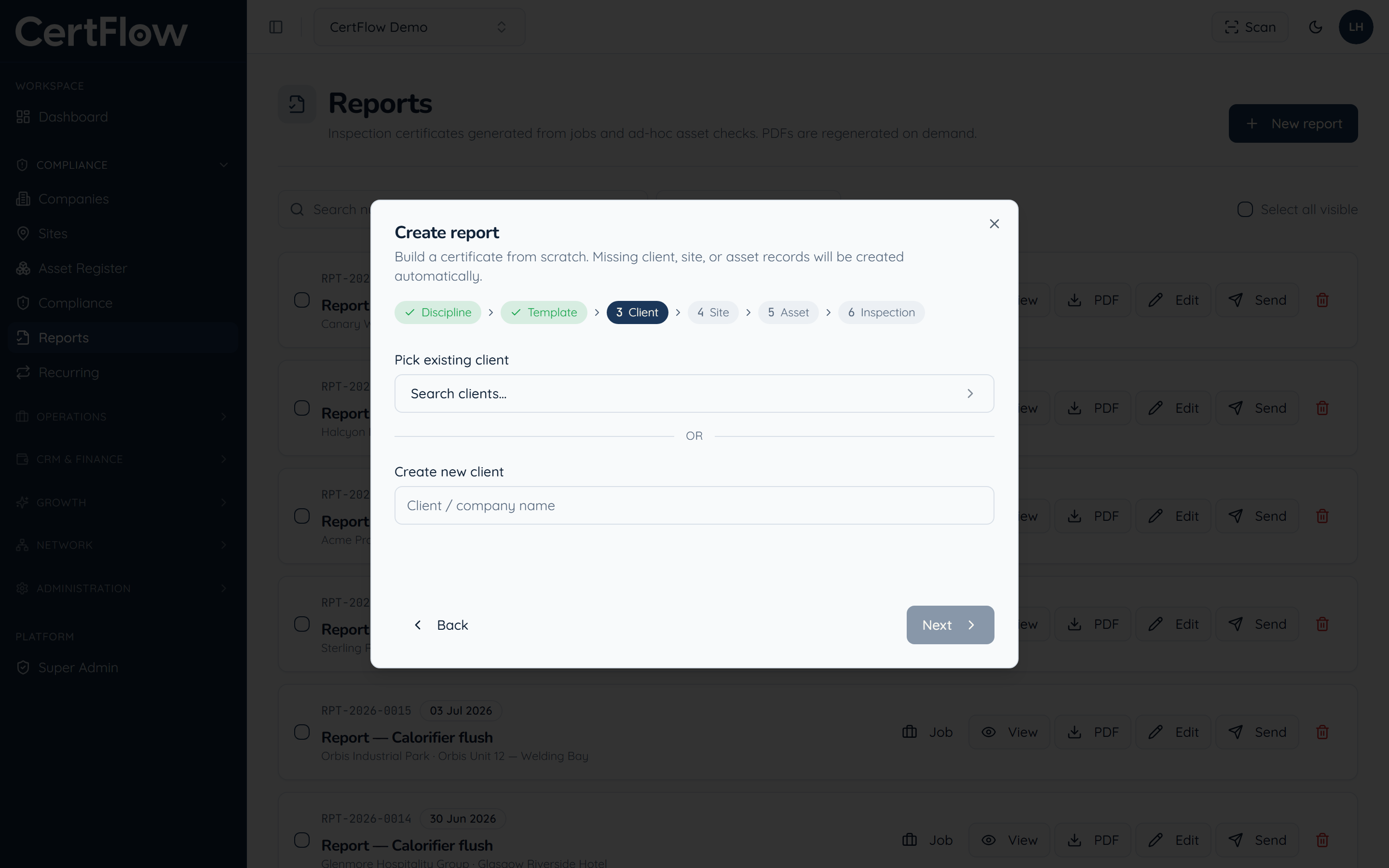
Pick the client, site and asset
Work through the wizard to choose the client, site and asset the inspection is for. CertFlow creates any missing records for you as you go.
- 4
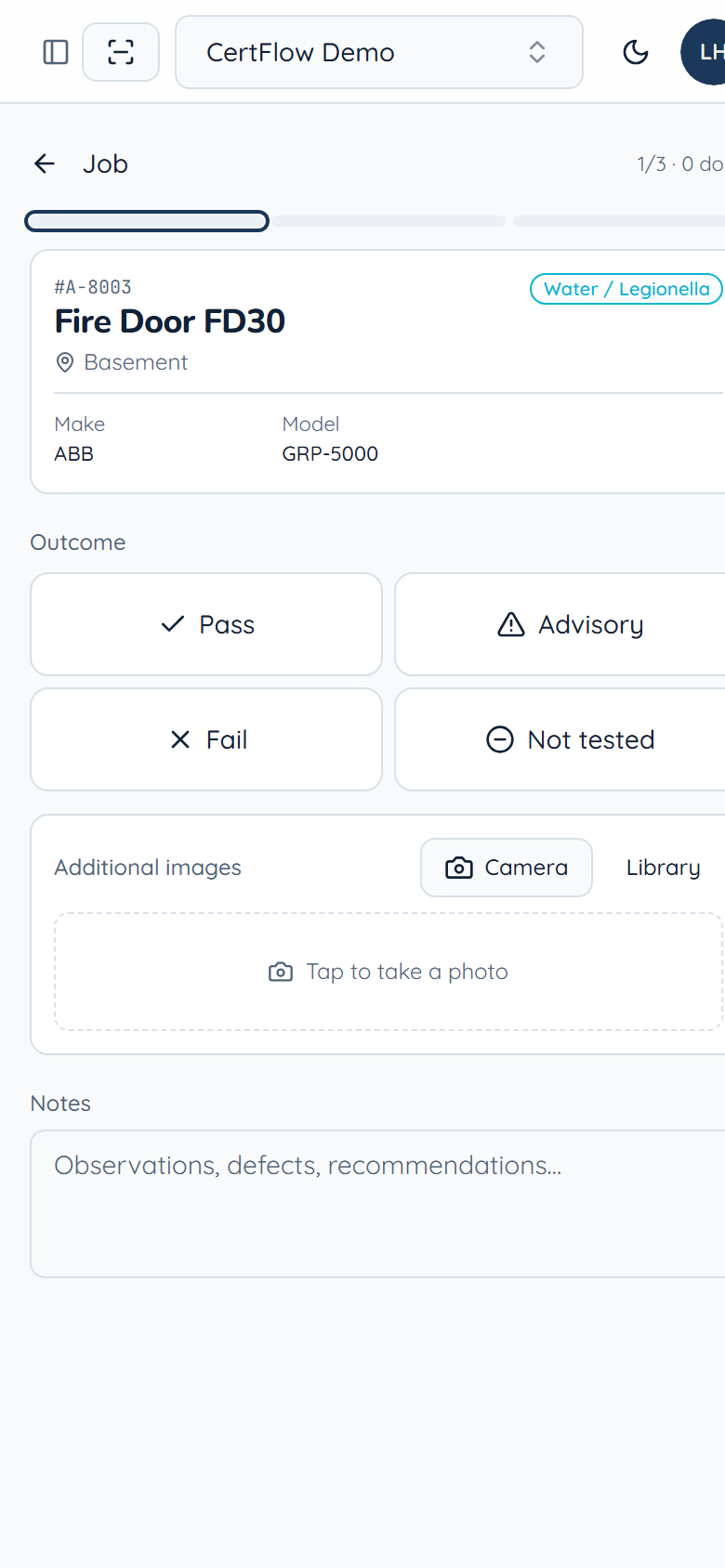
Complete the inspection and sign off
Work through each item, marking Pass, Advisory, Fail or Not tested, add photos and notes, and sign off. Engineers do this on site in the mobile app, fully offline. CertFlow then generates the certificate automatically (see Generate and send a certificate).
Want to try this on your own data?