
Operations
Using the calendar
The calendar is your scheduling hub: every job colour-coded by discipline or engineer, with due work waiting in a side panel. Drag to schedule, drag to reschedule.
- 1
Open the Calendar
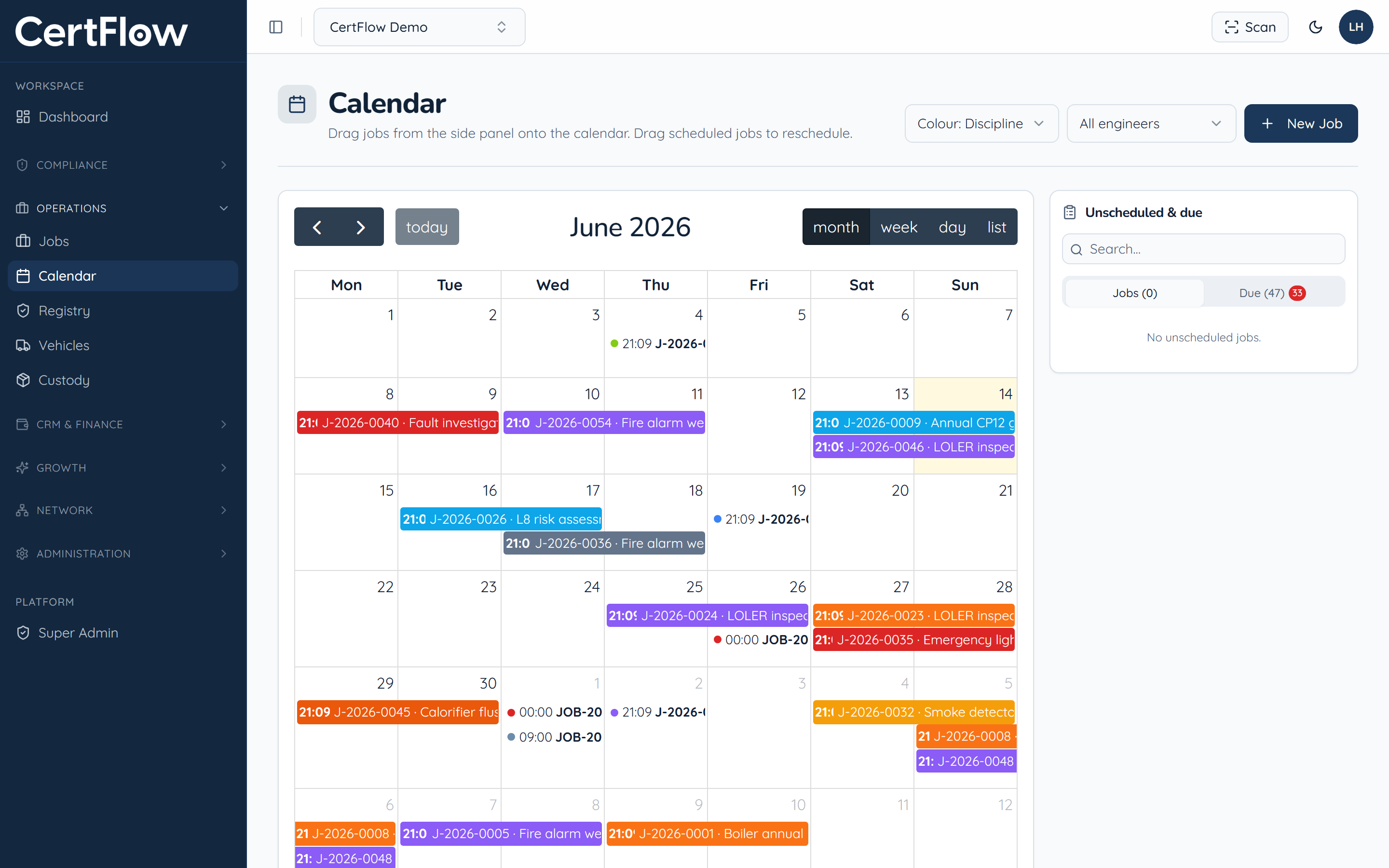
Under Operations, open Calendar. Jobs show across the month, colour-coded by discipline, or switch to colour by engineer.
- 2
Drag due work onto a day
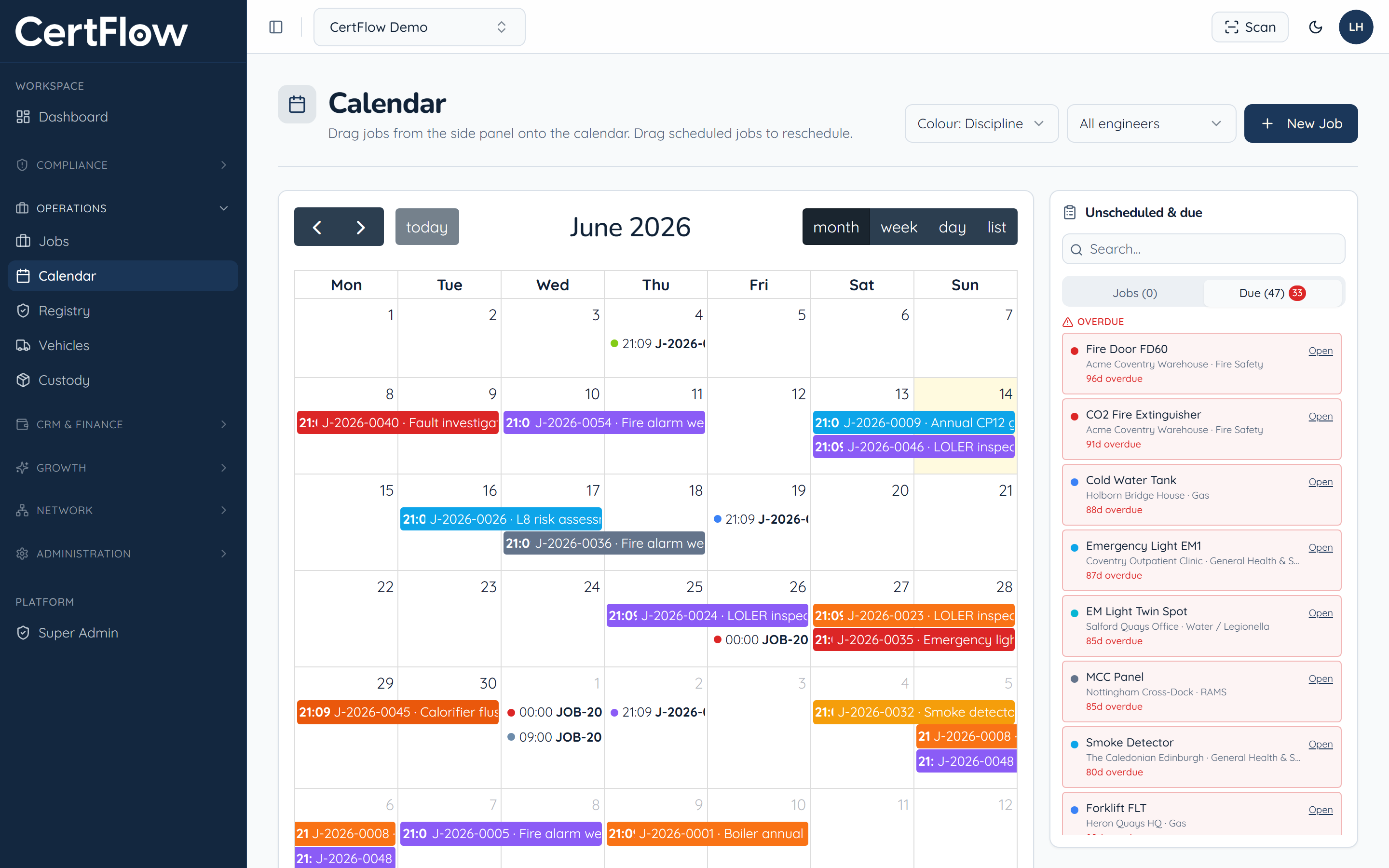
The side panel lists unscheduled and due work. Drag an item onto a day to schedule it; CertFlow keeps engineer availability in view as you go.
- 3
Switch views and reschedule
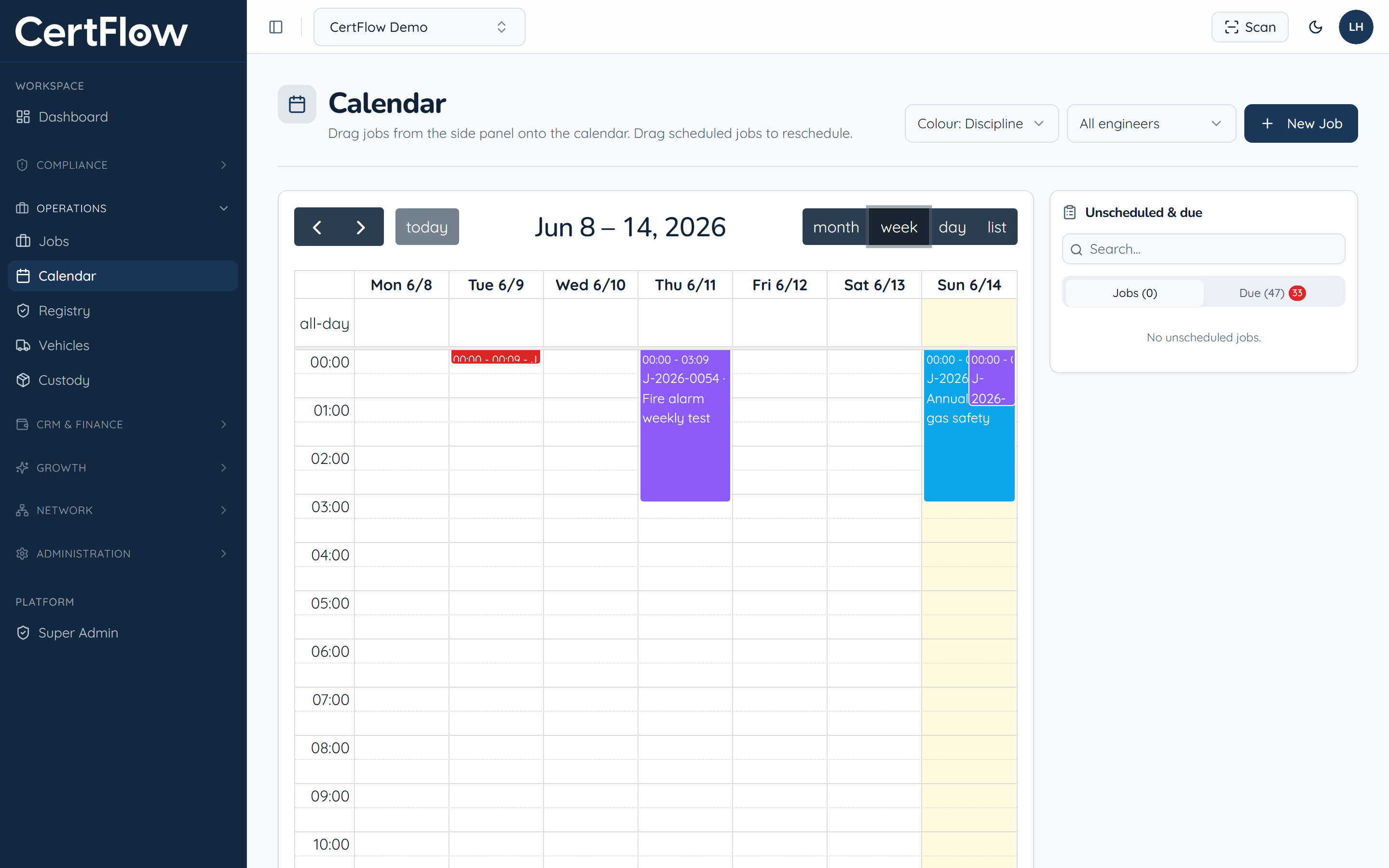
Switch between month, week, day and list, and filter by engineer. To move a job, just drag it to a new slot.
Want to try this on your own data?
Related