
Settings & admin
Control roles and permissions
Roles keep the right people in and the wrong eyes out. CertFlow gives you fine-grained control over every role, so an engineer sees the jobs they need and a client sees only their own documents, never your margins.
- 1
Open the Permissions settings
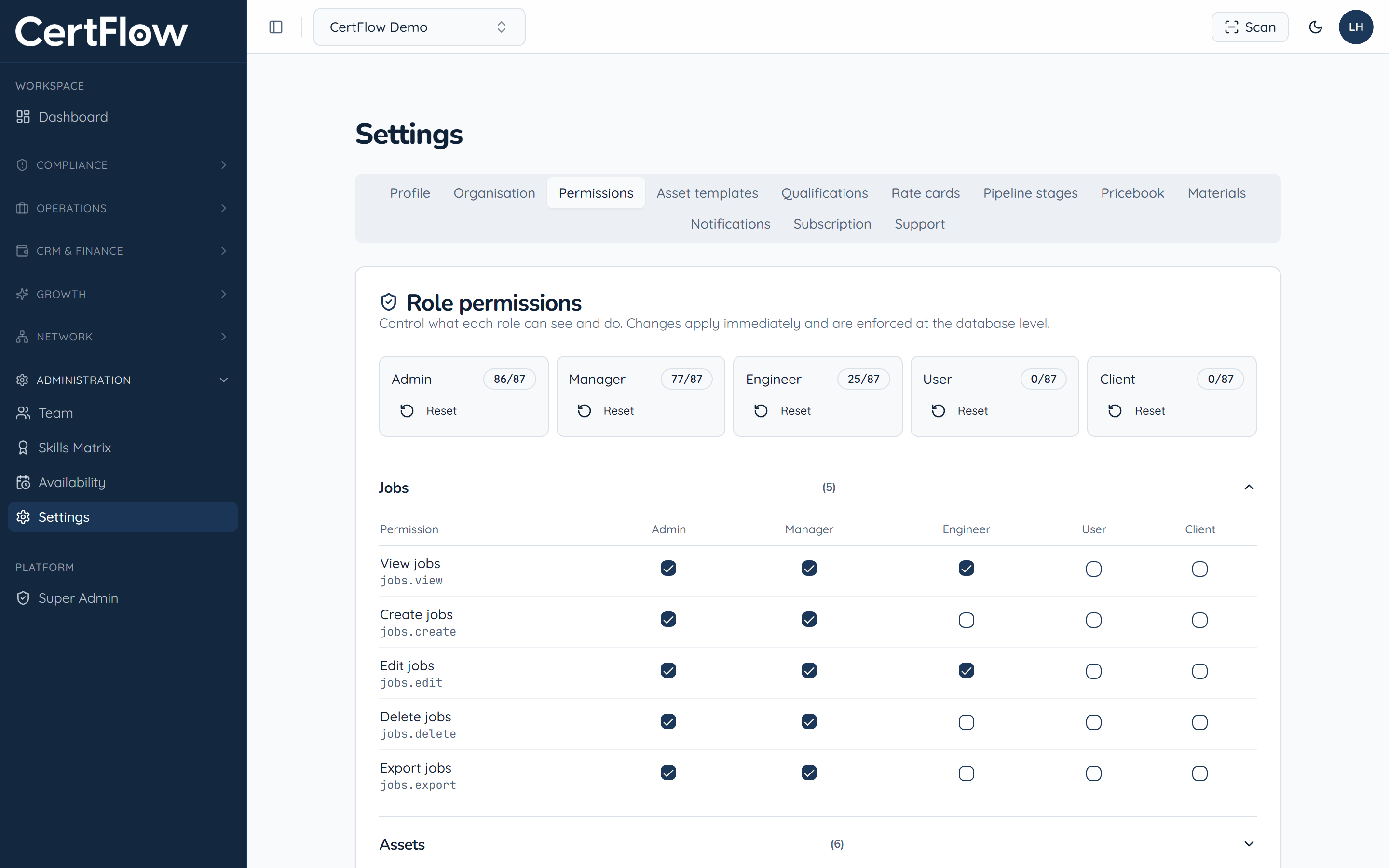
Under Administration, open Settings, then Permissions. Each role (Admin, Manager, Engineer, User and Client) shows how many permissions it holds, and you can Reset any role to its defaults at any time.
- 2
Tune what each role can do
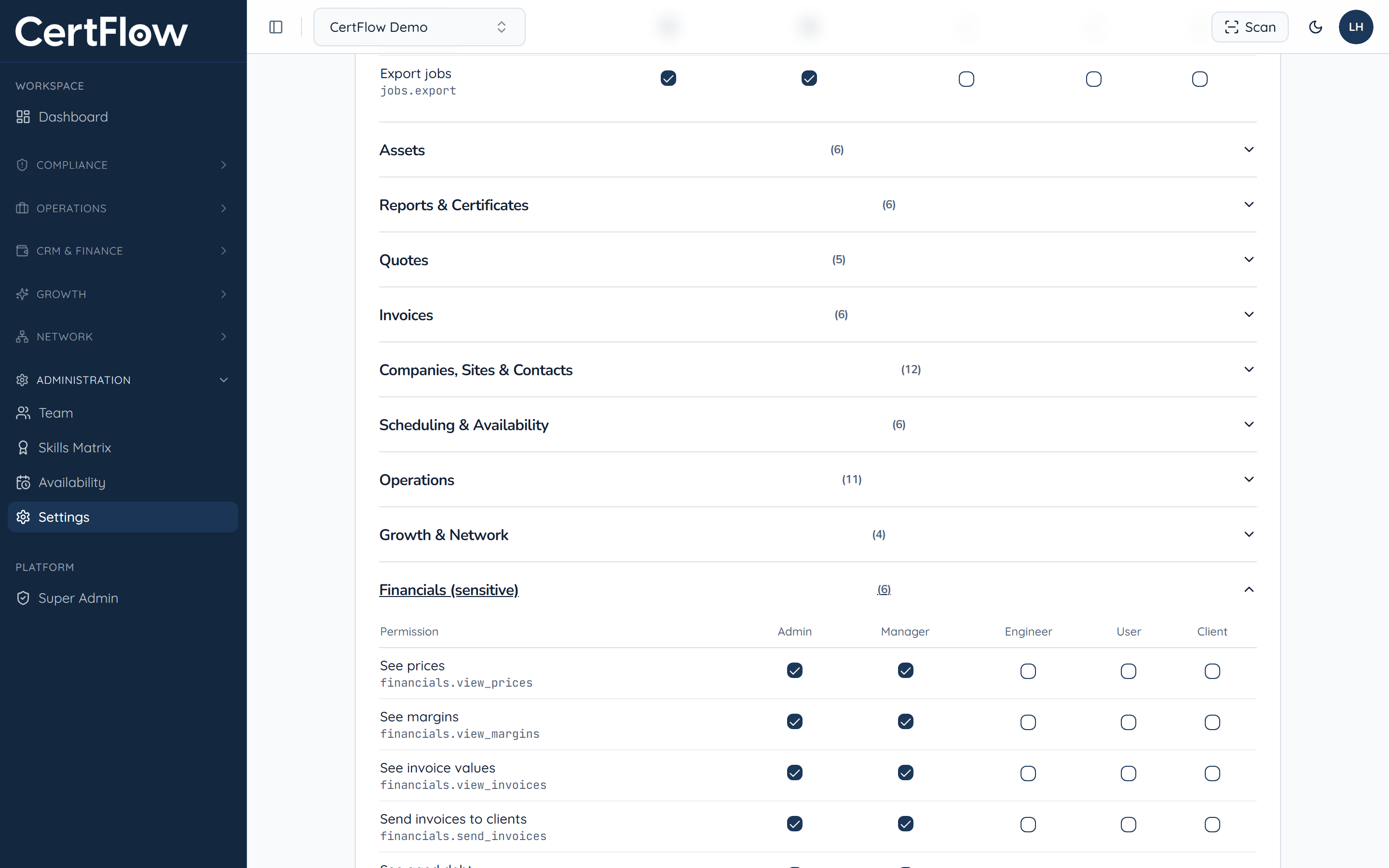
Permissions are grouped by area. Tick or untick a box to grant or remove it for a role. Sensitive groups like Financials let you hide prices, margins and invoice values from engineers or clients while keeping them visible to managers.
- 3
Trust the enforcement
Changes apply immediately and are enforced at the database level, not just hidden in the interface, so a role can never reach data it should not see.
Want to try this on your own data?