
How to invite your team
Bring your engineers, managers and office team into CertFlow so jobs can be assigned and work can be done on site. Each person gets a role that controls what they can see and do.
- 1
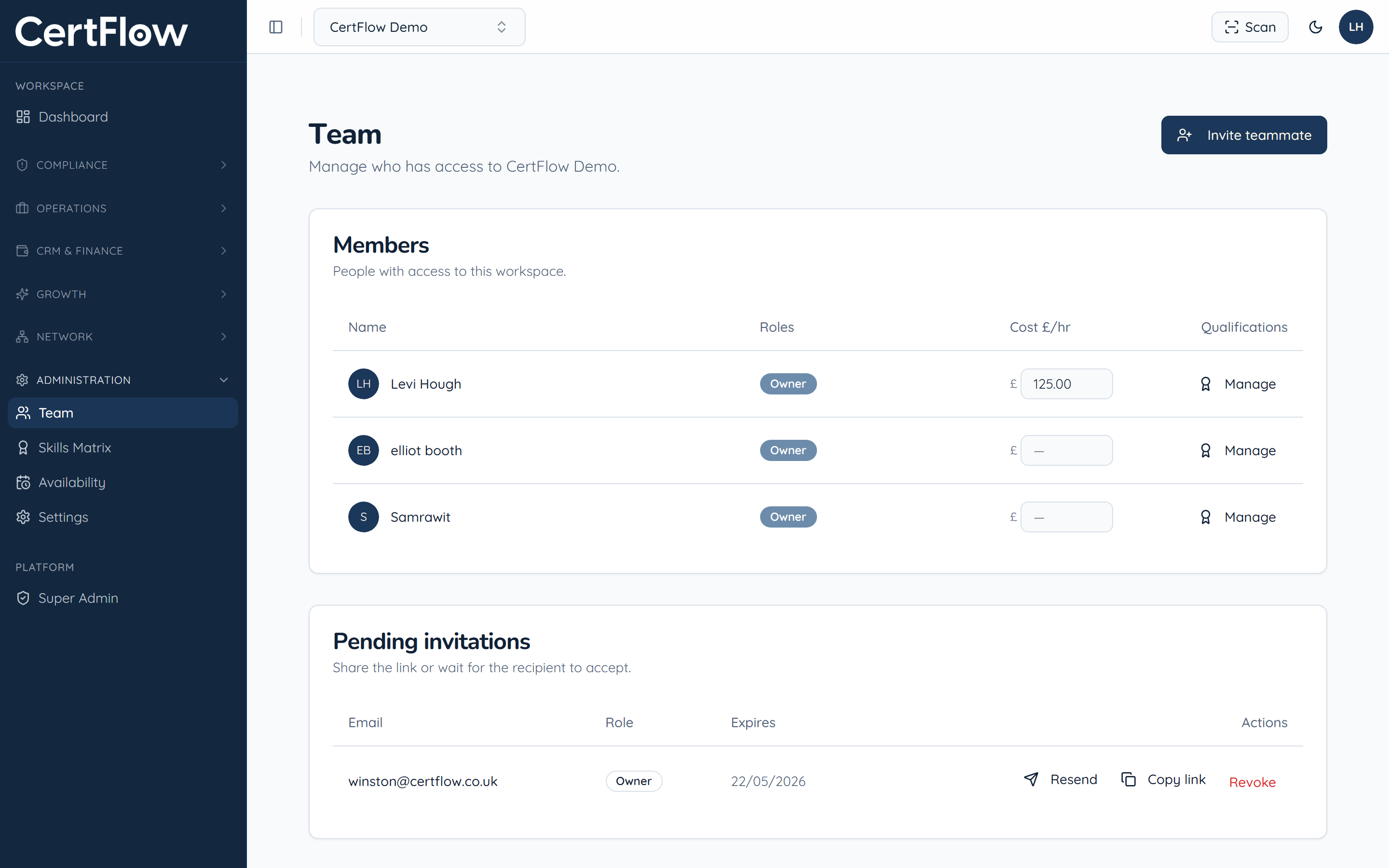
Open Team and click Invite teammate
In the left sidebar, under Administration, open Team, then click Invite teammate.
- 2
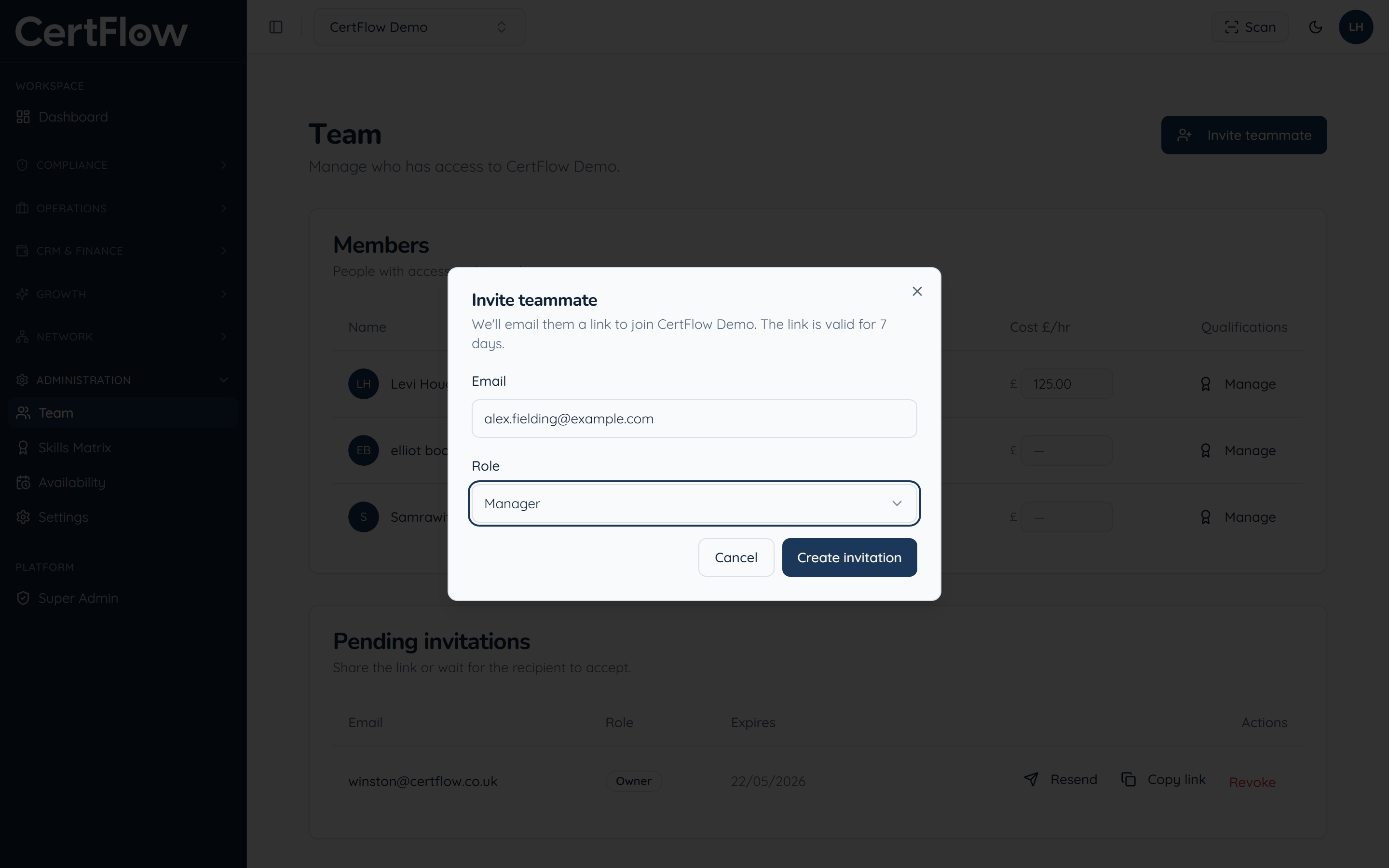
Enter their email and choose a role
Add the teammate email and pick a role: Owner, Manager, Inspector or Client. The role controls what they can see and do.
- 3
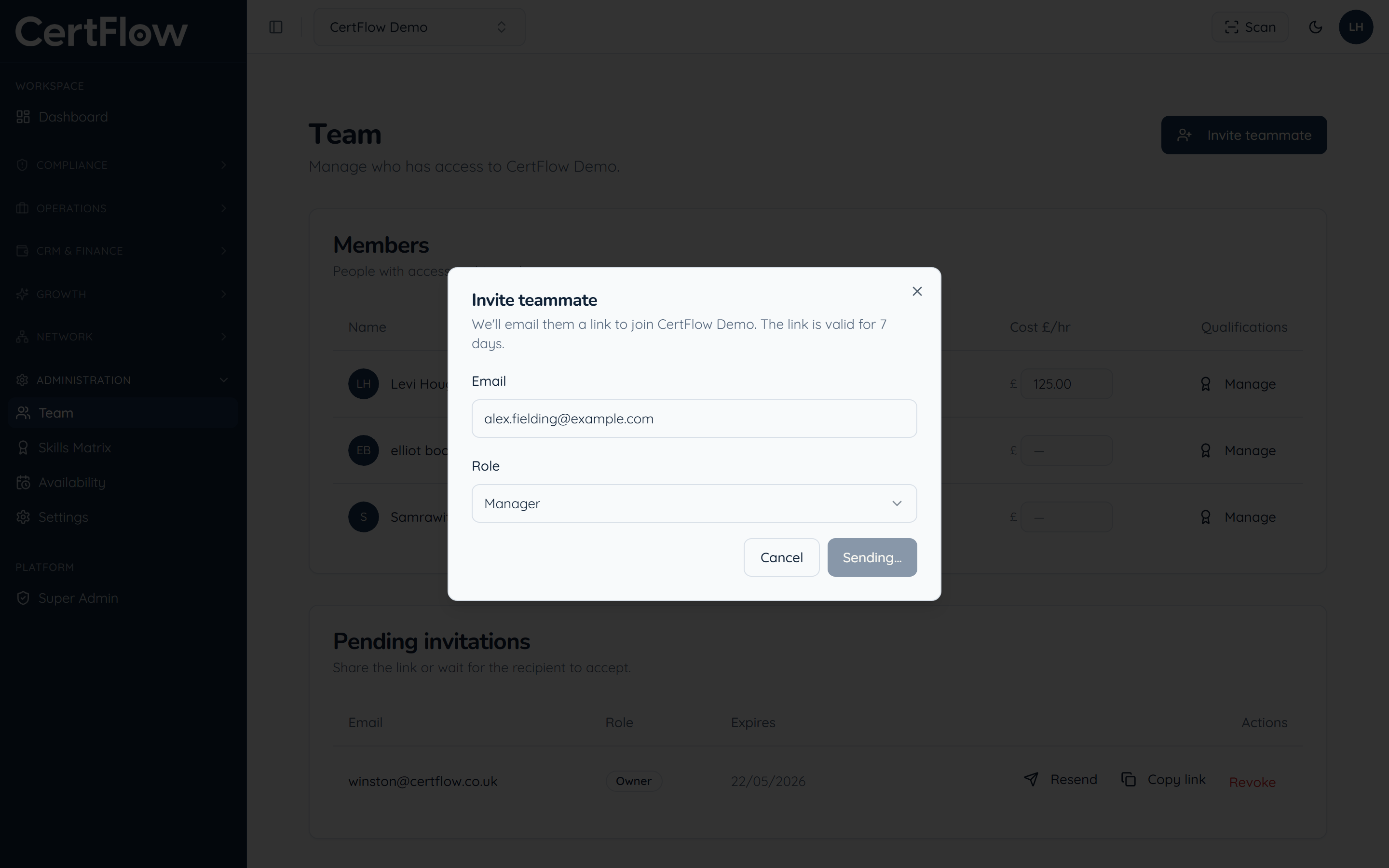
Send the invitation
Click Create invitation. They receive an email link, valid for 7 days, to join your workspace, and show under Pending invitations until they accept.
Want to try this on your own data?
Related