
Team & competency
Track team qualifications
CertFlow keeps every engineer’s competency in one place: what they hold, when it expires, and the certificate to prove it. Once a qualification is verified, the platform can warn you before it lapses and keep unqualified people off the wrong jobs.
- 1
Open a member’s record
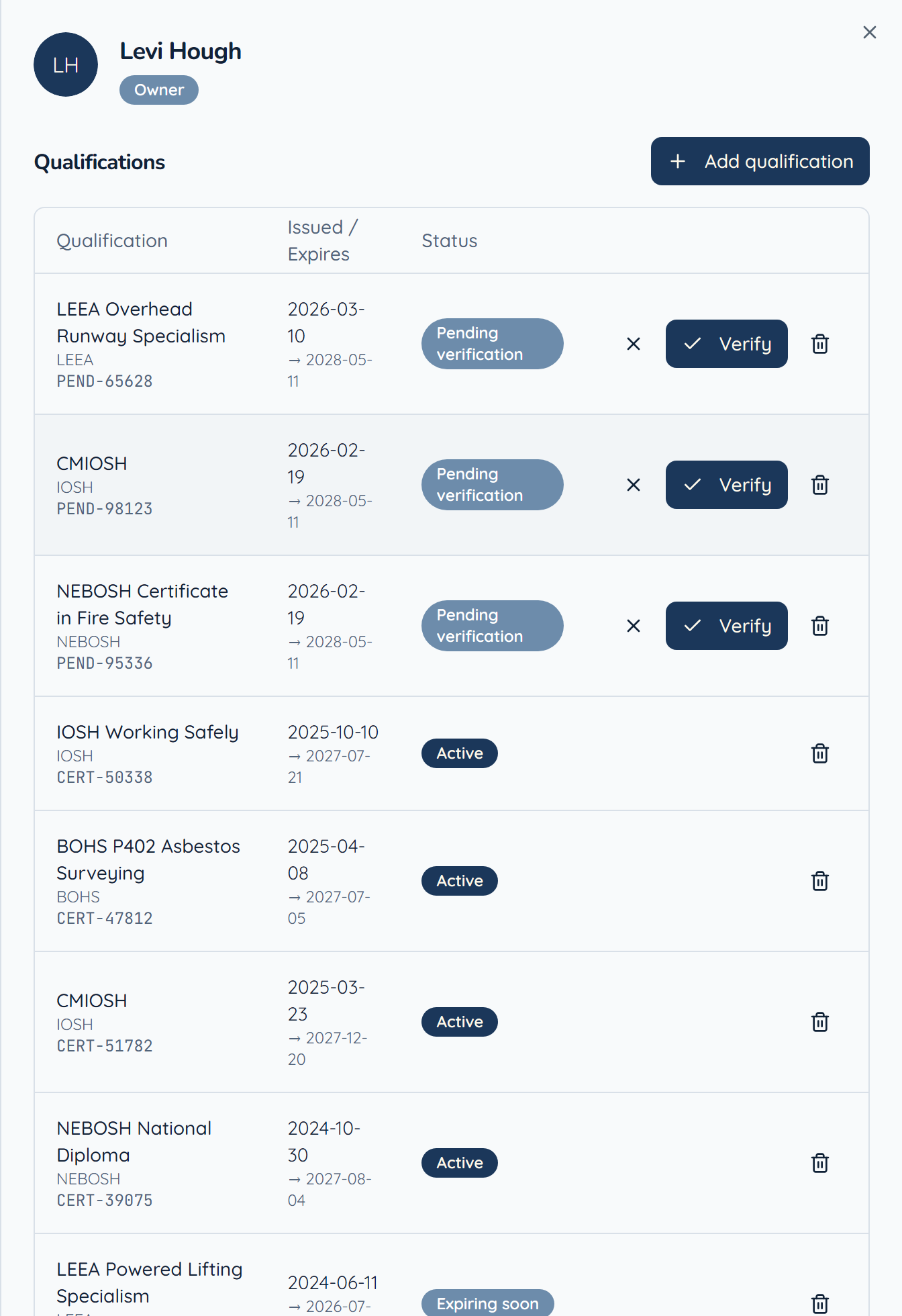
Under Administration, open Team, then click Manage on a member. Their qualifications are listed with reference numbers, issue and expiry dates, and a status.
- 2
Add a qualification
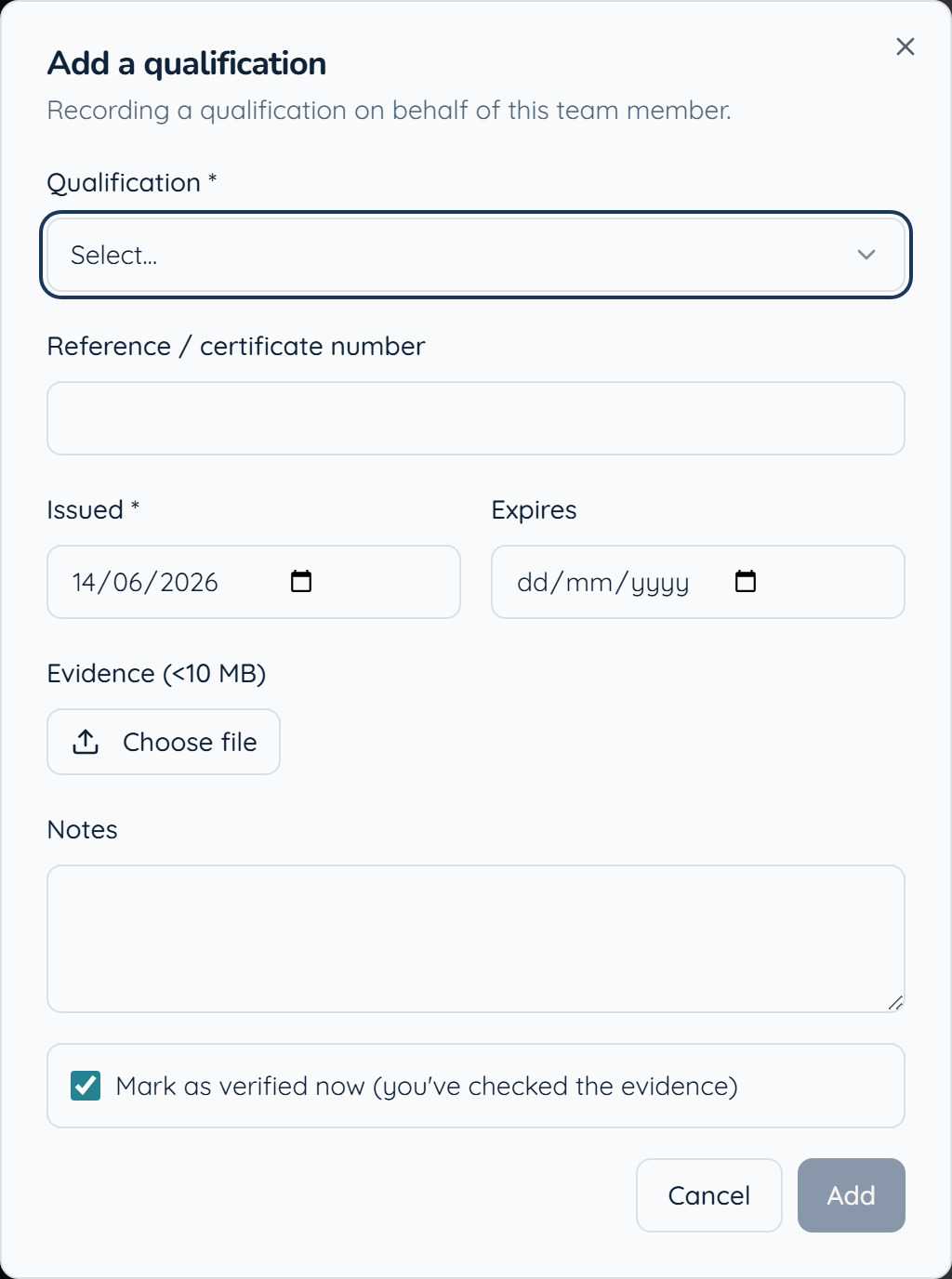
Click Add qualification, pick it from the catalogue, and enter the reference, issue date and expiry. Attach the certificate as evidence, and tick Mark as verified now if you have already checked it.
- 3
Verify what your team submits
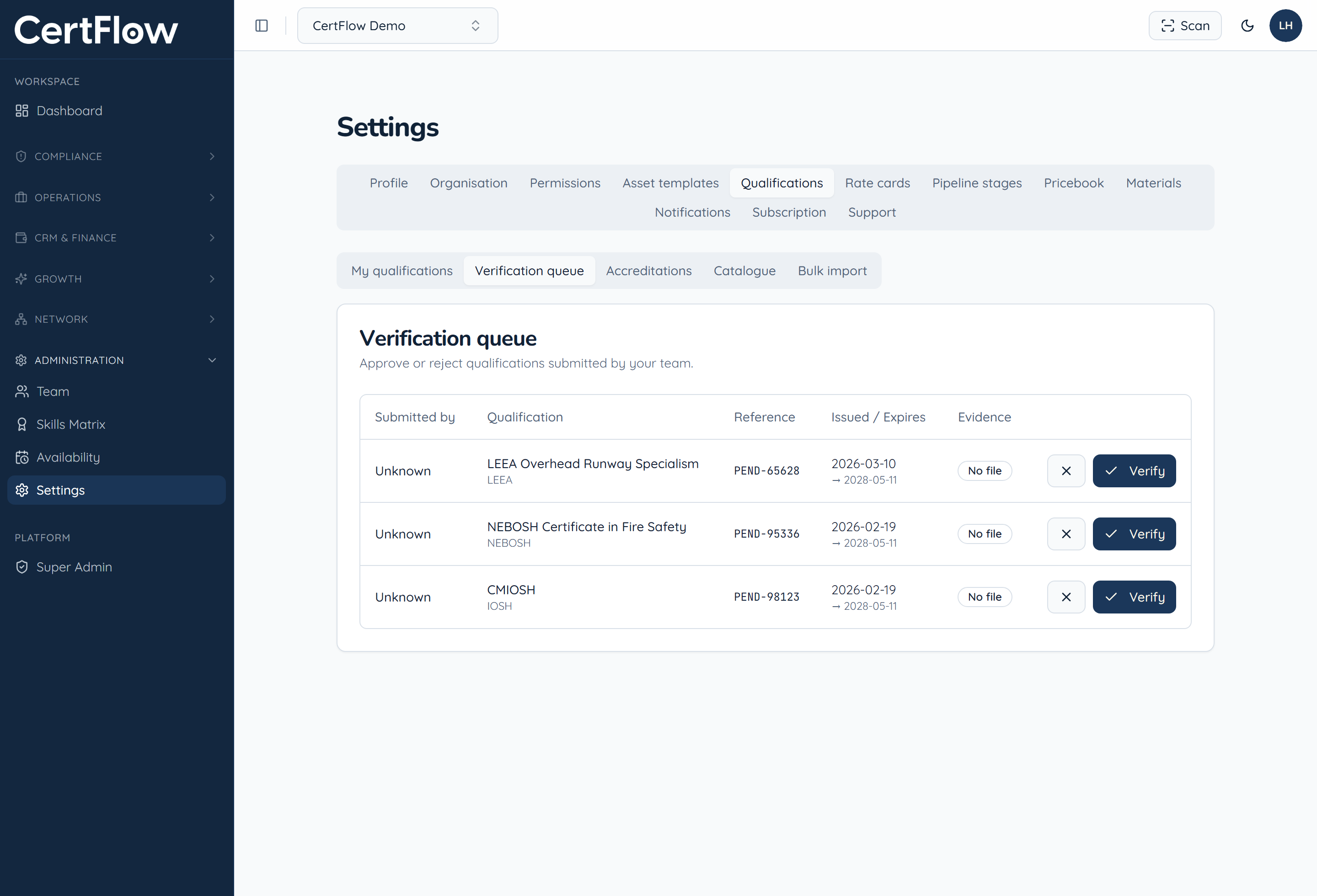
Engineers can submit their own qualifications. In Settings, under Qualifications, open the Verification queue, review the evidence, and Verify or reject each one. Only verified, in-date qualifications count towards job assignment.
Want to try this on your own data?