
Read your team’s skills matrix
The skills matrix turns every team member’s qualifications into one grid, so you can answer "who can do this job?" and "what is about to lapse?" in seconds, and prove competency to an auditor.
- 1
Open the Skills Matrix
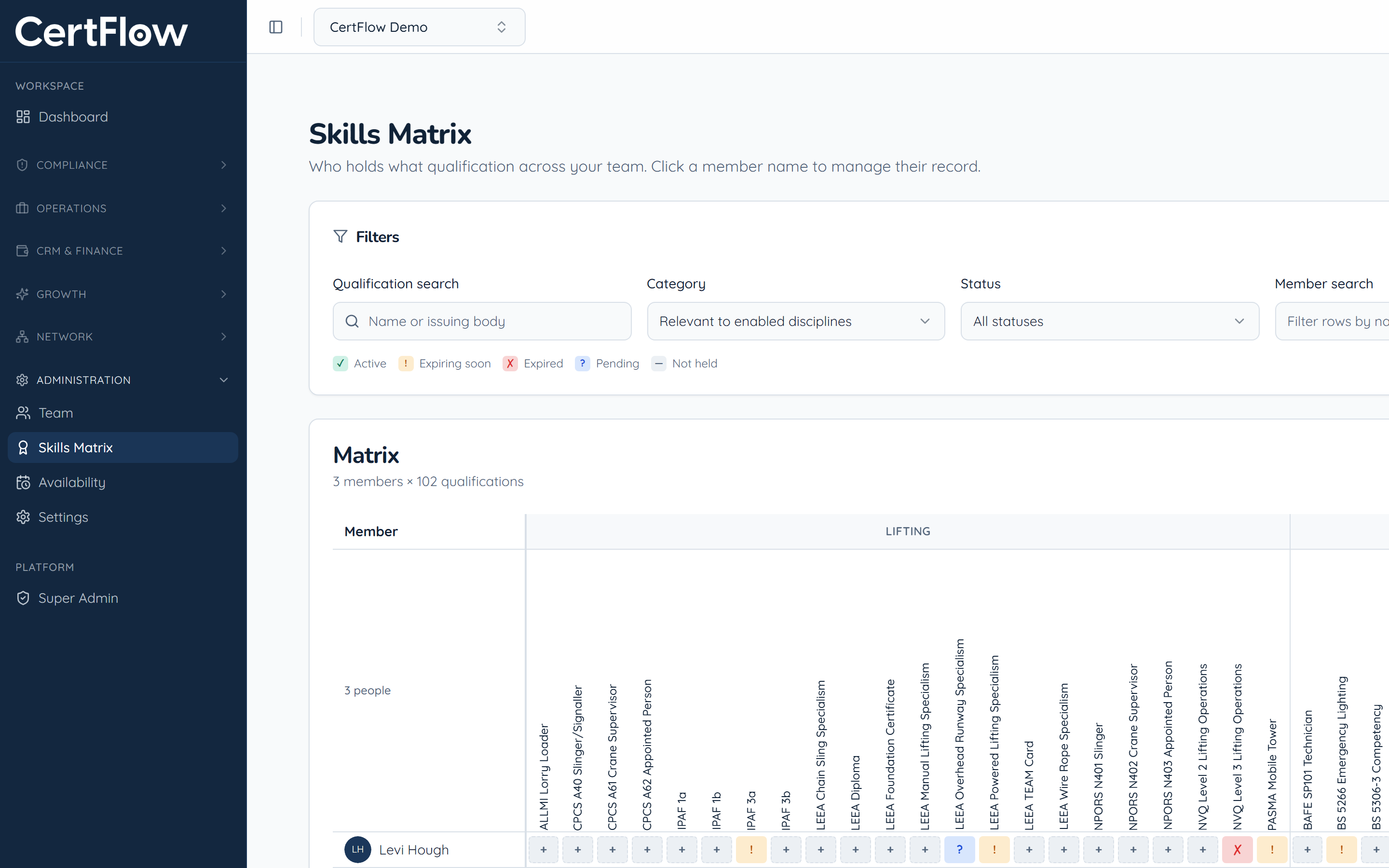
Under Administration, open Skills Matrix. Every member is a row and every qualification a column. The colour of each cell shows its status: active, expiring soon, expired, pending, or not held.
- 2
Filter to find gaps
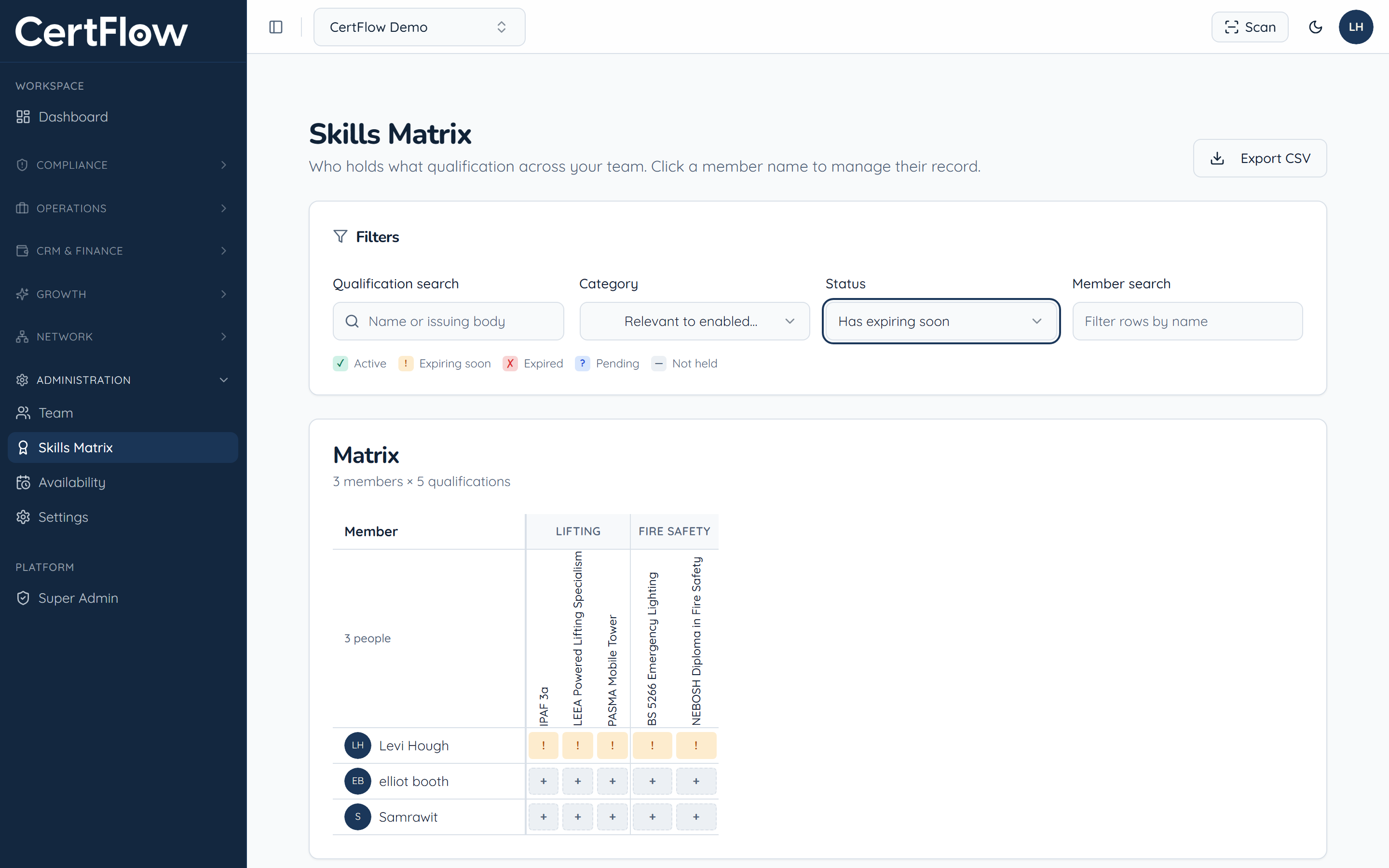
Narrow the grid by qualification, category, status or member. Filter by Expiring soon to see exactly what needs renewing, or by a discipline to check who is qualified to cover it.
- 3
Act on a gap
Click any member’s name to open their record and add or renew a qualification (see Track team qualifications), or click Export CSV to share the matrix with a client or auditor.
Want to try this on your own data?