
Turn a completed thorough examination into a clear, traceable report.
Record findings against the right equipment, review defects and issue a branded Report of Thorough Examination. CertFlow keeps the result and PDF with the asset history.
The report needs the particulars, not just a pass or fail
Schedule 1 of LOLER 1998 sets out information that a Report of Thorough Examination must contain. That includes equipment identity, safe working load, the reason for examination, defects, action and timing, examination dates, and the person authenticating the report. The competent person still decides what has been examined and what the findings mean.
A template can structure the work, but the report should reflect the actual equipment and observations. CertFlow lets teams use equipment details and inspection answers when creating the report, then review the output before issuing it.
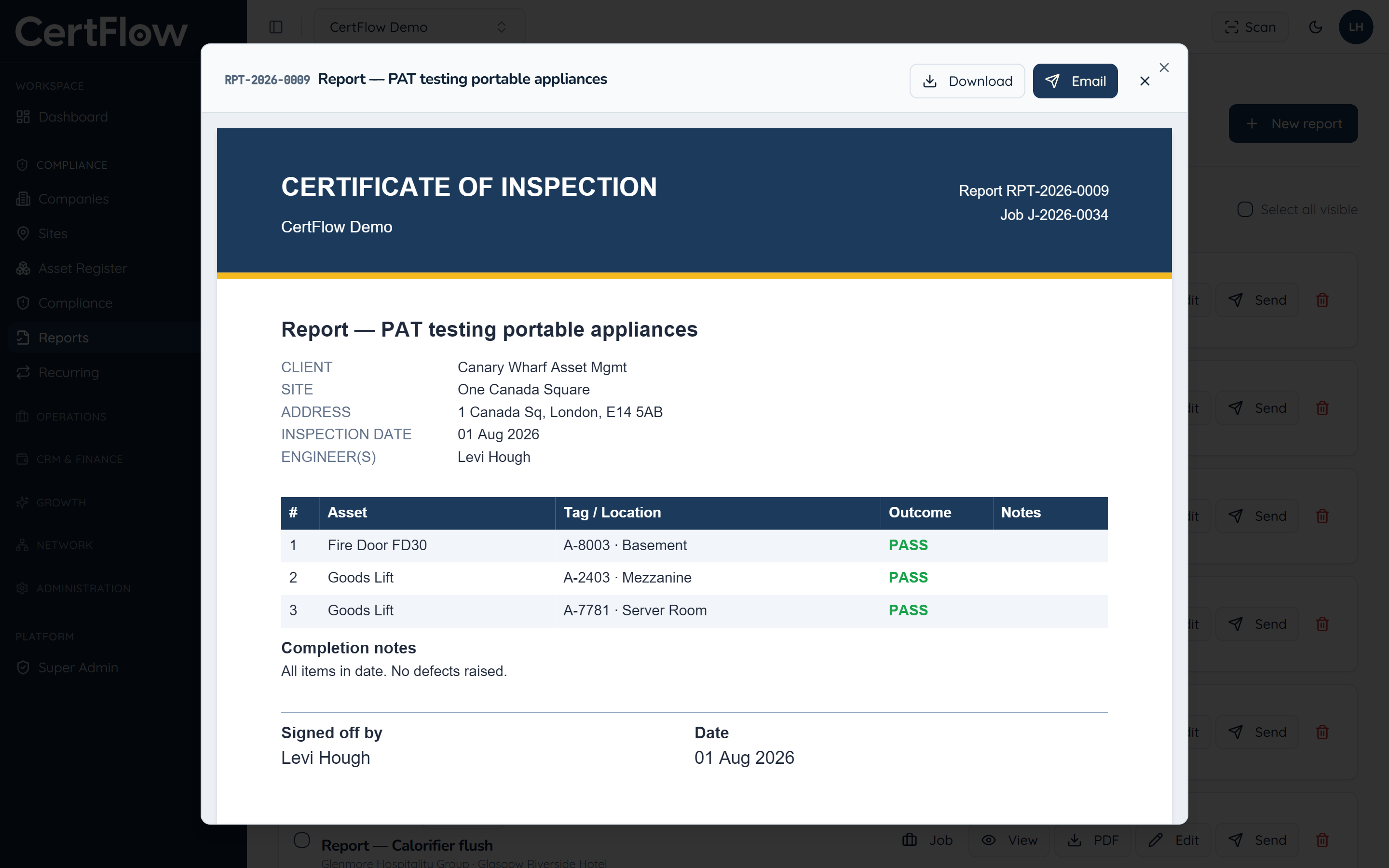
From field notes to an issued PDF
- 01
Start from the asset
Bring its identifying details into the examination so the report refers to the intended equipment.
- 02
Record findings and defects
Capture observations, photographs and any danger or potential danger that the competent person identifies.
- 03
Review the declaration
Check required particulars, examiner details, dates and signature or authentication before completing the report.
- 04
Issue and retain
Produce a branded PDF with a report number and keep it accessible from the equipment history and client record.
Make the output easier to check
Software supports recording and issuing the report. It does not replace the judgement, independence or duties of a competent person under LOLER 1998.
- Equipment identity and safe working load
- Structured observations and defects
- Relevant examination and next-due dates
- Engineer and authentication details
- Header and declaration layout controls
- PDF report number and retained history
LOLER rules and HSE guidance
Links to primary UK legislation and official regulator guidance. CertFlow is independent and not affiliated with these bodies.